


Financial Statements in TallyPrime: Complete Guide
 By Pragyantra
- Accounting & ERP Systems
- Oct 22, 2026
- 13 minutes read
- 68 Views
Financial Statements in TallyPrime: A Complete Guide to Accurate Business Reporting
Learn how to review Profit & Loss, Balance Sheet, cash flow and outstanding reports in TallyPrime. Improve accounting accuracy with better financial reporting.
Pragyantra helps businesses improve financial reporting through TallyPrime customization, automation, and integration.
Introduction
Accurate financial reporting is essential for every business. Business owners need to understand revenue, expenses, profitability, outstanding payments, liabilities and cash availability before making important decisions.
However, many businesses still spend hours collecting accounting information, checking spreadsheets, reconciling transactions and preparing reports manually. Even when accounting data is recorded in software, the process of turning that data into useful business information can remain time-consuming.
Financial statements in TallyPrime help businesses review their financial position and performance using accounting data recorded in the system. Reports such as the Profit & Loss Account, Balance Sheet, cash flow and outstanding reports help business owners and finance teams understand different aspects of their operations.
The next step is to ensure that these reports are accurate, regularly reviewed and presented in a format that supports decision-making.
In this guide, we explain the main financial reports available in TallyPrime, how businesses can use them, common reporting problems and ways to improve financial reporting through better accounting workflows and automation.
What Are Financial Statements in TallyPrime?
Financial statements are structured reports that summarize a business's financial performance and position for a particular period or date.
In TallyPrime, financial reports are generated from the accounting information recorded for a company. Their accuracy depends on the quality of transaction entries, ledger classification, accounting settings and reconciliation procedures.
The main reports businesses commonly review include:
- Profit & Loss Account: Shows income, expenses and the resulting profit or loss for a selected period.
- Balance Sheet: Summarizes assets, liabilities and capital as of a particular date.
- Cash Flow Statement: Helps explain cash inflows and outflows during a period.
- Receivables and Payables: Help monitor amounts due from customers and amounts owed to suppliers.
- Trial Balance: Helps accountants review ledger balances and investigate accounting discrepancies.
- Stock and Inventory Reports: Help businesses review stock quantities and inventory valuation, depending on their configuration.
These reports serve different purposes. A profitable business may still face cash-flow pressure if customers delay payments. Similarly, a business with high sales may have lower margins because of rising operating costs.
Reviewing multiple reports together provides a more complete understanding of financial performance.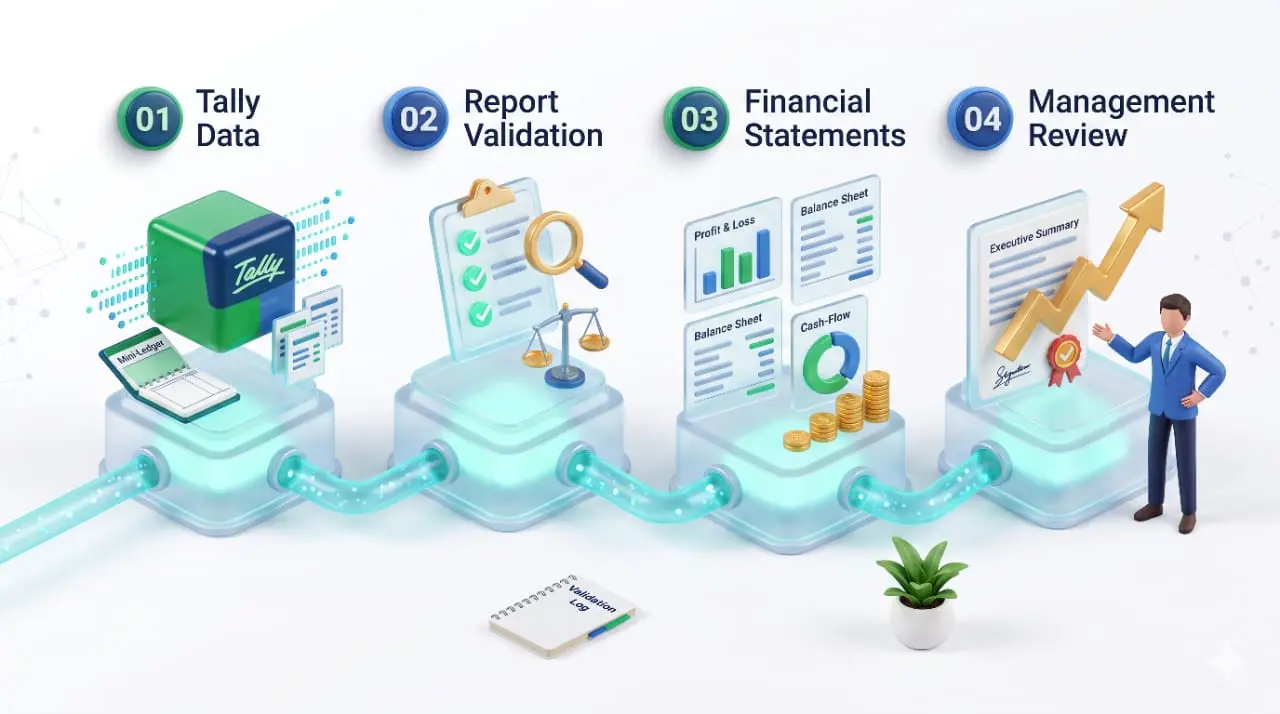
Why Financial Reporting Matters for Growing Businesses
When a business operates with multiple branches, products, suppliers or sales channels, financial information becomes more complex.
Business owners need answers to practical questions:
- Are sales and profits increasing?
- Which expenses are growing faster than revenue?
- How much money do customers still owe?
- What payments must be made to suppliers?
- Is sufficient cash available for upcoming expenses?
- Are inventory levels and stock values being monitored correctly?
- Can management access the latest financial information without waiting for a manually prepared report?
Without a structured reporting process, these questions may require multiple spreadsheets, separate reports and repeated communication with the accounts team.
A reliable reporting workflow helps businesses review financial performance more consistently, identify unusual changes and make informed decisions.
1. Profit & Loss Account in TallyPrime
The Profit & Loss Account is one of the most important financial reports for business owners. It summarizes income and expenses for a selected period and helps determine whether the business has generated a profit or incurred a loss.
What should businesses review?
- Sales revenue
- Direct expenses and cost of sales
- Gross profit, where applicable
- Operating expenses
- Other income and expenses
- Net profit or loss
For example, suppose a business generates ₹20 lakh in monthly sales. Its gross profit may improve, but higher salaries, rent, delivery costs or marketing expenses could reduce the final net profit. Looking only at revenue would not reveal the complete situation.
How to use the report effectively: Business owners should compare the current period with previous periods, investigate unusual expense movements and review whether revenue and costs are changing as expected. For meaningful comparisons, use consistent reporting periods and check that transactions have been classified correctly.
2. Balance Sheet in TallyPrime
The Balance Sheet provides a snapshot of a company's financial position as of a particular date. It generally summarizes assets, liabilities and capital or equity.
The Balance Sheet helps management understand the resources held by the business and the obligations it must meet.
Why should business owners review it? A business may generate strong sales but still have significant liabilities, slow-moving receivables or limited liquid resources. Reviewing the Balance Sheet can help identify areas that require further investigation, such as changes in receivables, loans, inventory values or supplier balances.
Practical example: Imagine that a distributor's sales are increasing every month, but its outstanding customer balances are growing even faster. The Profit & Loss Account may show positive performance, while the Balance Sheet highlights increasing receivables that deserve attention. The two reports provide different but complementary insights.
3. Cash Flow Reporting
Profit and cash availability are not the same thing. A business may record sales on credit and recognize revenue before collecting the money. At the same time, supplier payments, salaries, rent and other expenses may require immediate cash outflows.
Cash flow reporting helps businesses understand how cash moves into and out of their operations.
What should businesses monitor?
- Cash received from customers
- Payments to suppliers
- Operating expenses
- Loan-related cash movements
- Other significant cash inflows and outflows
The availability and presentation of specific reports depend on the accounting system, transaction classification and reporting configuration.
Business owners should also distinguish between a cash flow report, cash balances and a cash or bank book. They provide related but different information.
4. Receivables and Payables Reports
Outstanding balances directly affect working capital and day-to-day financial planning.
Receivables represent amounts customers owe the business. Payables represent amounts the business owes its suppliers or other parties.
TallyPrime's outstanding reports can help accountants review these balances and follow up on pending payments.
Receivables reporting
A useful receivables review can identify:
- Customers with overdue balances
- Invoices approaching their due dates
- Customers with large outstanding amounts
- Differences requiring reconciliation
- Payment follow-up priorities
Payables reporting
Payables reviews help the business understand upcoming obligations, supplier balances and payments that need attention.
However, reports should be checked against the relevant invoices, payment entries, credit notes and reconciliation records before action is taken.
5. Trial Balance and Accounting Accuracy
The Trial Balance helps accountants review ledger balances at a selected point in time. It is useful for investigating discrepancies and reviewing whether accounting entries have been posted to appropriate ledgers.
However, a balanced Trial Balance does not automatically mean that every transaction is correct. A transaction may be recorded in the wrong ledger or classified incorrectly while the debit and credit totals still agree.
Recommended review process:
- Review unusual or unexpected ledger balances.
- Check relevant vouchers and supporting documents.
- Reconcile bank balances and other applicable accounts.
- Review outstanding customer and supplier balances.
- Investigate classification errors and missing entries.
- Verify that adjustments are supported by appropriate documentation.

Common Financial Reporting Problems in Businesses
Even businesses using accounting software can experience reporting difficulties when their workflows are not properly managed.
| Common problem | Business impact | Recommended approach |
|---|---|---|
| Incorrect ledger classification | Financial reports may be misleading | Review ledger groups and posting rules |
| Delayed transaction entry | Reports may not reflect recent activity | Establish regular entry and review schedules |
| Unreconciled bank transactions | Cash and bank balances may require correction | Perform periodic bank reconciliation |
| Outstanding balances not reviewed | Payment follow-up may be delayed | Review receivables and payables regularly |
| Multiple manual spreadsheets | Duplicate work and inconsistent figures | Standardize report preparation |
| Reports prepared in different formats | Management comparisons become difficult | Use consistent reporting templates |
| No clear review responsibility | Errors may remain unnoticed | Assign preparation and approval responsibilities |
Automation can reduce repetitive work, but it cannot replace correct accounting entries, reconciliation and appropriate financial review.
How to Improve Financial Reporting in TallyPrime
Businesses can improve reporting by combining sound accounting practices with a structured review process.
1. Maintain consistent accounting records
Use appropriate ledger groups, voucher types, inventory classifications and accounting procedures. Train the team to record transactions consistently.
2. Set a reporting schedule
Choose a suitable frequency for reviewing key reports. For example: Daily: cash, bank and important transaction reviews; Weekly: selected outstanding balances and operational exceptions; Monthly: Profit & Loss, Balance Sheet review, reconciliations and management reporting. The right schedule depends on the size and complexity of the business.
3. Standardize report formats
Define which reports management needs, the period covered and the metrics to be included. Consistency makes month-on-month comparisons easier.
4. Reduce repetitive data handling
If employees repeatedly export reports, copy values into spreadsheets and reformat the same information, investigate whether a more structured reporting workflow is possible. Depending on requirements, this may involve built-in reports, configured report layouts, controlled exports, integration or a separate reporting dashboard.
5. Introduce review and approval procedures
Assign clear responsibilities for preparing reports, checking balances and approving adjustments. Keep supporting documents available for important accounting decisions.
6. Track changes over time
Compare current figures with prior periods and investigate material changes in revenue, expenses, receivables, payables and other important measures.
The purpose is not simply to produce more reports. It is to make financial information more useful and actionable.
Can Financial Reporting in TallyPrime Be Automated?
Yes, many repetitive reporting activities can potentially be streamlined, depending on the reporting requirements, available functionality and existing system configuration.
Automation may help with tasks such as:
- Preparing recurring report formats
- Exporting selected accounting information
- Transferring approved data between systems
- Consolidating information for management reports
- Reducing repeated copy-and-paste work
- Presenting selected financial indicators in dashboards
The correct solution depends on what the business needs to automate. For example, a small business may only need standardized reports and a monthly review checklist. A growing distributor may need reporting across several locations. A business using multiple applications may require integration before it can consolidate information reliably.
Before implementation, define the data sources, reporting frequency, required fields, validation rules, user permissions and review responsibilities.
Automated reports should always be checked against the underlying accounting records, particularly before being used for statutory, tax, audit or other high-stakes decisions.
Financial Statements vs. Management Reports
Financial statements and management reports are related, but they are not interchangeable.
| Area | Financial statements | Management reports |
|---|---|---|
| Primary purpose | Show financial performance and position | Support operational and strategic decisions |
| Typical content | Profit & Loss, Balance Sheet and related financial information | Sales trends, expense comparisons, receivables, inventory and KPIs |
| Reporting focus | Accounting results for a period or date | Business performance and decision support |
| Presentation | Structured financial statements | Often customized to management needs |
| Main users | Owners, accountants, finance teams and other relevant stakeholders | Business owners, department heads and managers |
Management reports may use data from TallyPrime alongside information from CRM, inventory, e-commerce or other business applications. If multiple sources are involved, the reporting process should define how data is mapped, refreshed, validated and reconciled.
When Does a Business Need Customized Financial Reporting?
Standard reports may be sufficient for many businesses. Customized reporting becomes worth exploring when management needs information that is difficult to obtain through its current workflow.
Common situations include:
- A management report combines multiple standard reports.
- Different branches need comparable financial summaries.
- The business needs a specific layout or grouping of information.
- Finance teams repeatedly prepare the same report manually.
- Management needs accounting data alongside sales or inventory information.
- Existing reports do not present the required indicators clearly.
The solution could involve report configuration, a customized TallyPrime report, integration or a separate dashboard. The appropriate choice depends on the requirement and technical feasibility.
For related services, explore Pragyantra's Tally integration services and business intelligence tools for Dubai and the UAE.
How Pragyantra Can Help Improve Financial Reporting
Pragyantra works in the area of TallyPrime customization, business automation, integration and reporting solutions.
For businesses that want to improve their reporting workflow, the starting point should be a clear assessment of existing accounting processes.
A practical engagement may include:
Understand the reporting requirement
Identify which reports management needs and what problems occur during preparation.
Review the current workflow
Understand where data comes from, who prepares reports and which steps require manual effort.
Identify the right approach
Evaluate standard reports, customization, integration or dashboard-based reporting.
Define validation rules
Establish how figures will be checked against the source accounting records.
Test the reporting workflow
Compare output with verified accounting information before relying on it.
Document and review
Define report ownership, access permissions and an ongoing review process.
The scope depends on the business's accounting setup, software configuration and reporting objectives.
If your team spends too much time preparing financial reports, Pragyantra can help assess opportunities to simplify reporting and reduce repetitive manual work.
Frequently Asked Questions
1. Whatfinancial statements are available in TallyPrime?
TallyPrime supports important accounting reports such as the Profit & Loss Account and Balance Sheet, along with other financial and accounting reports. The reports available and their presentation depend on the company's accounting setup and configuration.
2. How can I check the Profit & Loss Account in TallyPrime?
Open the relevant company in TallyPrime and navigate to the Profit & Loss report using the application's current menus. Select the reporting period and review income, expenses and the resulting profit or loss. Menu names and navigation may vary by release.
3. What is the difference between a Balance Sheet and a Profit & Loss Account?
A Profit & Loss Account summarizes income and expenses over a period. A Balance Sheet presents assets, liabilities and capital as of a particular date.
4. Can TallyPrime financial reports be automated?
Some reporting activities can be streamlined using available reports, configured workflows, customization, exports or integration. The right method depends on the required output, software configuration and business process.
5. Why can financial reports show incorrect figures?
Possible causes include incorrect ledger classification, missing or duplicate entries, unreconciled transactions, incorrect reporting periods and incomplete data. Investigate the underlying vouchers, ledgers and reconciliation records before making corrections.
6. Can financial reports from TallyPrime be displayed in a dashboard?
Yes, this can be possible through a suitable dashboard or reporting solution, depending on the data access and integration configuration. Pragyantra can help assess the feasibility for your business.
Improve Your Financial Reporting in TallyPrime
Pragyantra helps businesses streamline financial reporting, reduce manual work and gain better visibility into business performance.

Pragyantra
Leave a comment
Your email address will not be published. Required fields are marked *