1. Use Meaningful File Names
Avoid generic labels. Include transaction identifiers directly in the filename such as Sales_1025.pdf, Purchase_205.pdf, or Payment_58.pdf for instant visual recognition.
Revolutionize Your Business Strategy with Our Expertise.
Elevate Your Business with Our Comprehensive Consulting Services.
Introducing Our New Business Consulting Solutions!


AI-Powered Business Intelligence Dashboard delivers real-time insights, automation, and seamless integration with Tally, Zoho, Oracle, and SAP—all in one clean platform.
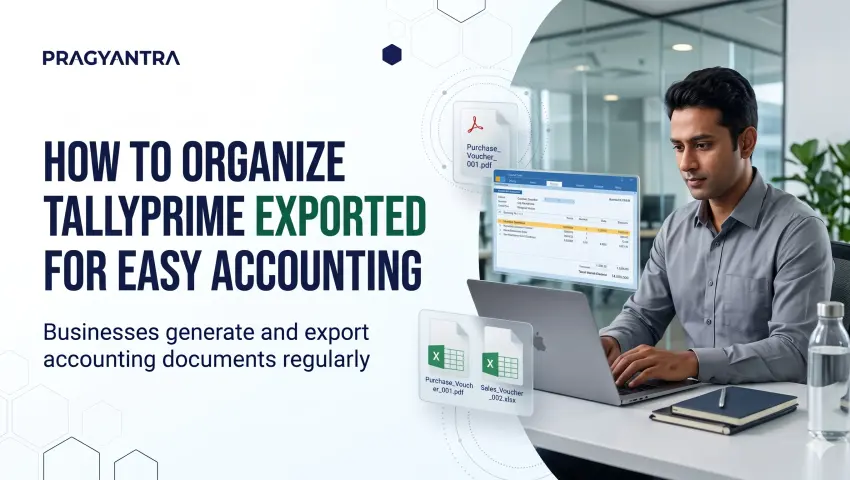

Businesses generate and export accounting documents regularly. Sales vouchers, purchase vouchers, payment entries, receipt records, and other financial documents are often shared with accountants, management teams, clients, and auditors.
As the number of transactions increases, managing these exported files can become difficult. Files saved with unclear names, inconsistent naming patterns, or duplicate descriptions make it harder to identify the correct document when required. A structured file organisation process helps accounting teams locate relevant records easily and maintain consistency in their daily work.
In this guide, we will explore practical ways to organise exported TallyPrime files, common file management challenges, and how automatic voucher-based file naming can support an efficient accounting workflow.
Accounting documents are not only used when transactions are recorded. They are frequently required later for internal verification, management reporting, client communication, and statutory audit verification.
When exported files are not organised properly, employees spend unnecessary time searching for the right document. A structured approach helps businesses:
Good file organisation makes routine accounting activities easier to manage and keeps your books audit-ready.
Document.pdf, Export.pdf, Voucher1.pdf, or Report_Final.pdf provide zero context about the actual accounting entry.Avoid generic labels. Include transaction identifiers directly in the filename such as Sales_1025.pdf, Purchase_205.pdf, or Payment_58.pdf for instant visual recognition.
Standardize on a fixed formula like VoucherType_VoucherNumber across your organization. Where needed, expand it with party names or dates.
Build folder hierarchies organized by voucher functions (Sales, Purchase, Payments, Receipts, Journals) rather than dumping all exports into a single desktop folder.
Archive files systematically by Financial Year and Month (e.g., FY 2026-27 / April / Sales) to match accounting closing cycles.
Check whether a voucher was already exported before generating a duplicate. Meaningful names make existing exports easy to identify.
Document standard operating guidelines so every accountant, cashier, and billing operator saves files identically.
Organize documents immediately upon export rather than waiting for month-end reconciliation or annual audit deadlines.
Folder guidelines are helpful, but maintaining them manually requires constant user discipline.
With Pragyantra's Export File Name with Voucher Type & Number add-on, file renaming is automated directly inside TallyPrime during the export routine.
| Voucher Type | Voucher Number | Generated Filename |
|---|---|---|
| Sales | 1025 | Sales_1025.pdf |
| Purchase | 205 | Purchase_205.pdf |
| Payment | 58 | Payment_58.pdf |
| Receipt | 76 | Receipt_76.pdf |
Type_Number or Number_Type.Sales_ABC_Traders_1025.pdf).Accounting records must regularly undergo scrutiny by internal finance controllers, executive directors, and external statutory auditors. A structured file repository speeds up this process:
A filename containing voucher type and number reveals the nature and sequence of the transaction before opening the document.
Consistent folder structures and naming formulas reduce search time from minutes to seconds during audit inquiries.
Sharing clearly named files prevents back-and-forth confusion when coordinating with clients, vendors, and tax practitioners.
Uniform naming standards ensure all operators adhere to identical documentation hygiene across branches.
Important: Organised exported files support document retrieval and review. They do not replace TallyPrime's primary accounting database, statutory book-keeping mandates, or formal audit trail regulations.
Teams managing regular voucher exports benefit from structured folder hierarchies and standardized naming rules.
Firms managing multiple client accounts can navigate shared records efficiently without manual file renaming.
Enterprises handling high-volume daily sales orders, dispatch challans, and vendor bills save substantial administrative time.
Operations generating recurring digital customer invoices require clean, structured naming for digital archives.
Businesses scaling transaction volumes maintain structured accounting workflows without administrative chaos.
1. Why should businesses organise exported TallyPrime files?
Organised files are easier to identify, retrieve, share, and review. A consistent naming structure also reduces confusion between similar documents.
2. How should exported TallyPrime voucher files be named?
A practical naming structure is VoucherType_VoucherNumber. For example, Sales_1025.pdf or Purchase_205.pdf.
3. Can exported voucher files include voucher numbers automatically?
Yes. Pragyantra's Export File Name with Voucher Type & Number add-on is designed to generate filenames using voucher type and voucher number.
4. Can party names be included in exported filenames?
Yes. The add-on's product information mentions optional Party or Ledger Name inclusion, subject to the configured filename structure.
5. Can businesses use different filename formats?
The add-on supports custom filename sequences, including Type_Number and Number_Type. Optional date information is also mentioned on the product page.
6. Does the add-on support multiple voucher exports?
Yes. The product page mentions bulk or multi-voucher export support.
7. Which exported file formats are supported?
The product page lists PDF, Excel, JPEG, and XML formats.
8. Does automatic file naming replace accounting record management?
No. It supports better identification of exported documents. Businesses should continue following their accounting, backup, retention, and record management procedures.
Managing exported accounting files should not require unnecessary manual effort.
A consistent filename structure can help businesses identify voucher documents, simplify sharing, and improve everyday accounting workflows.
With Pragyantra's Export File Name with Voucher Type & Number add-on, businesses can generate meaningful filenames using voucher details and reduce repetitive manual renaming.
Discover more document workflow and productivity solutions from Pragyantra:
🏢 Pragyantra Solutions | Phone: +91 77280 57558 | Web: www.pragyantra.com
TallyPrime Customisation | Tally Add-ons | Business Automation
Your email address will not be published. Required fields are marked *