Print Username in TallyPrime Reports & Vouchers
When multiple accountants and employees work in the same accounting system, identifying who handled a particular transaction can become challenging. Businesses need a practical way to improve transaction accountability, review accounting entries and maintain better visibility across their financial workflows.
The Print Username in Reports & Vouchers Add-on for TallyPrime by Pragyantra is designed to help businesses display user identification on supported accounting vouchers and reports. This can help accounting teams understand who handled transactions and make the review process more organised.
Whether you manage a trading business, manufacturing company, accounting firm or multi-user finance department, username visibility can be a useful addition to your TallyPrime workflow.
Want to see how it could work for your business? Contact Pragyantra to discuss your requirements and request a live demo.
The Print Username in Reports & Vouchers Add-on is a Tally customisation solution developed by Pragyantra to display username information on supported vouchers and reports.
In a multi-user accounting environment, different employees may handle sales entries, purchase transactions, receipts, payments and journal entries. When reviewing a printed voucher or report, it can be helpful to see the username associated with the transaction.
The add-on is intended to make this information more accessible within the accounting workflow, subject to the supported voucher types, report layouts and configuration.
For businesses that need better transaction visibility, this functionality can support internal reviews and make it easier to investigate accounting queries.
Why Is Username Tracking Important in TallyPrime?
Accounting accuracy depends on more than recording the correct amounts. Businesses also need clear workflows, appropriate access controls and a practical process for reviewing transactions.
When several employees work in TallyPrime, managers may need to investigate questions such as:
- Who entered a particular transaction?
- Which accounting entry needs to be reviewed?
- Which employee should be contacted about an incorrect entry?
- How can the accounts team make voucher reviews more organised?
- How can printed accounting documents provide additional context during internal checks?
Without convenient access to user identification, employees may need to spend additional time checking records or asking colleagues for clarification. Displaying username information on supported vouchers and reports can help reduce this friction. It provides another useful reference point when reviewing accounting documents.
Operational Governance Note
Important: Username printing should complement TallyPrime's existing user permissions, audit facilities and internal control procedures. It should not be treated as a replacement for a complete audit trail or a guarantee against accounting errors.
Key Features of the Username Printing Add-on
The following features describe the intended functionality of Pragyantra's add-on. Availability and exact behaviour should be confirmed for the customer's TallyPrime environment before implementation.
1. Username Visibility on Supported Vouchers
Businesses can explore displaying username information on supported voucher layouts. Depending on the configured functionality, relevant voucher types may include:
- Sales vouchers and invoices
- Purchase vouchers
- Payment vouchers
- Receipt vouchers
- Journal entries
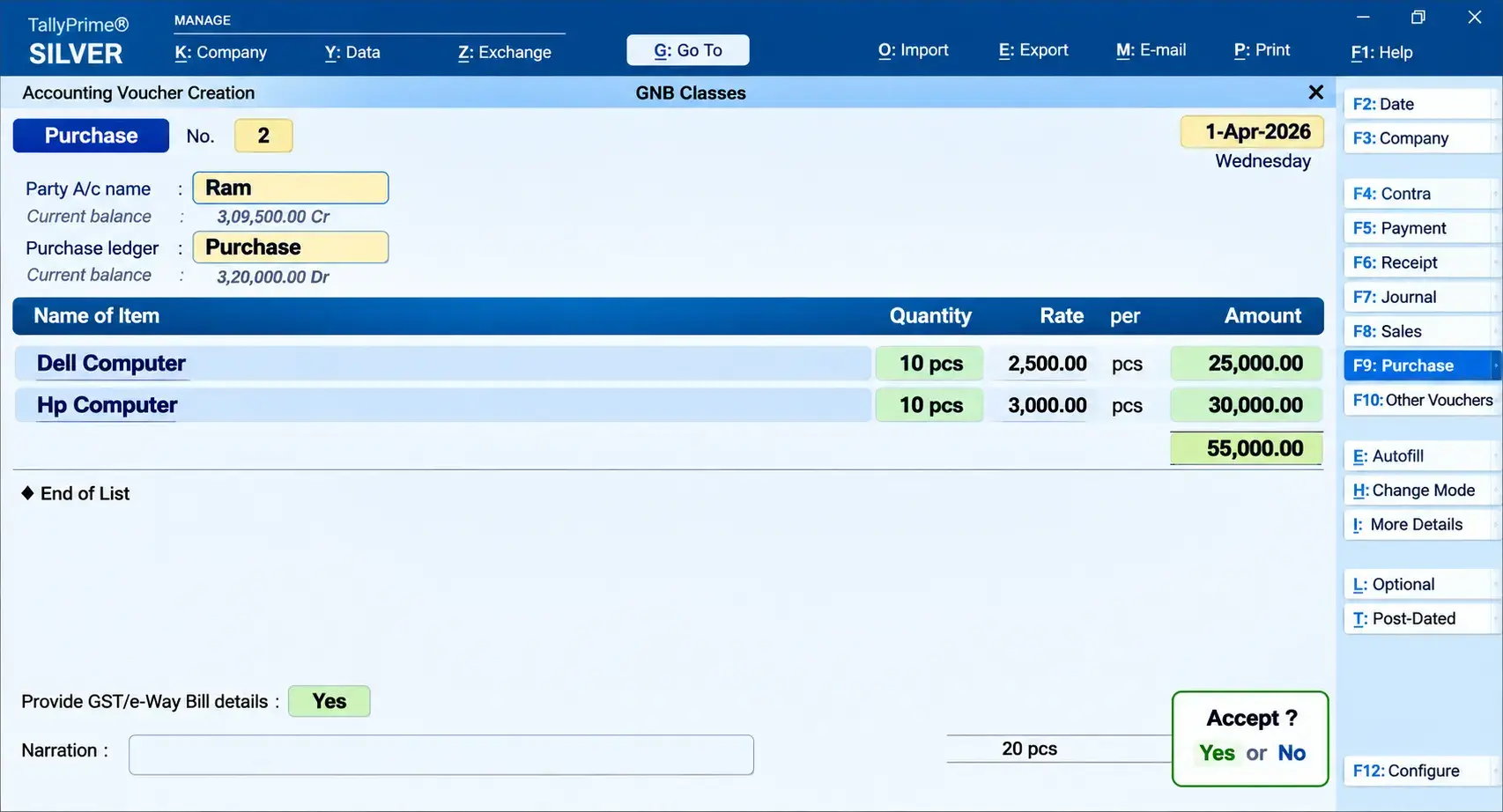
For example, when a manager reviews a sales voucher, username visibility can provide an additional reference for identifying the user associated with that transaction. The exact placement and availability of the username should be confirmed during the product demonstration.
2. Username Display in Supported Reports
Username information can also be useful when reviewing accounting reports. Potentially relevant reports include:
- Day Book
- Ledger Reports
- Voucher Register
- Other agreed report layouts
The supported report list should be verified with Pragyantra before purchase. Not every report or print format should be assumed to support the feature without testing. When configured appropriately, username visibility can help accounting teams review transactions with greater context.
3. Support for Multi-User Accounting Workflows
Many businesses divide accounting responsibilities among data-entry operators, accountants, finance managers and other authorised employees.
In these environments, user identification can help managers understand which user is associated with a transaction under review. This is particularly useful when a business processes a large number of daily transactions or maintains several accounting workflows.
The add-on's suitability depends on the customer's user configuration and the way the required username information is captured and displayed.
4. Customisation for Business Requirements
Different businesses use different voucher formats, report layouts and internal review processes.
Pragyantra provides Tally customisation services that can help businesses discuss their requirements and determine the appropriate implementation approach.
Before proceeding, confirm which voucher types and reports are included in the proposed configuration, whether any additional customisation is required, and what the final deliverables will be.
5. A More Organised Voucher Review Process
When username information is available in the relevant documents, employees can use it as an additional reference during accounting reviews. This may help teams:
- Investigate transaction-related questions.
- Contact the appropriate employee for clarification.
- Review accounting entries more efficiently.
- Improve visibility across shared accounting workflows.
The results will depend on the implementation, the information available and the business's existing accounting procedures.
How Does Username Printing Work in TallyPrime?
The exact workflow depends on the add-on configuration. A typical implementation discussion follows these steps:
STEP 1
Work on Transaction
An authorised employee enters or updates an accounting transaction in TallyPrime.
STEP 2
Username Processing
The add-on is configured to capture and make available the relevant user identification information.
STEP 3
Document Preparation
The configured voucher or report layout dynamically displays the username in the agreed position.
STEP 4
Accounting Review
The username provides clear attribution when the document is reviewed, printed, or verified.
*The precise behaviour for newly created transactions, modified transactions and historical vouchers should be confirmed during testing.
Business Benefits of Printing Usernames on Accounting Documents
Better Transaction Accountability
Username visibility can help businesses associate accounting transactions with the relevant user information. This provides additional context when managers review accounting records.
More Efficient Error Investigation
When an incorrect entry is identified, username information may help the team determine whom to contact for clarification. It does not automatically establish the cause of an error, but it can make the investigation process more organised.
Improved Internal Review
Accounting managers can use username information alongside transaction details, supporting documents and existing review procedures.
More Informative Printed Vouchers
Printed vouchers can provide additional context when shared with authorised colleagues or reviewed as part of an internal process.
Better Visibility in Multi-User Environments
Businesses with multiple accounting operators may benefit from making user identification more accessible in the reports and documents they regularly use.
Who Should Consider This TallyPrime Add-on?
Trading Businesses
Trading businesses often handle regular sales, purchases, receipts and payments. Username visibility may help managers review transactions handled by different employees.
Manufacturing Companies
Manufacturing businesses may have separate employees responsible for purchasing, sales, inventory-related entries and accounting activities. Additional user identification can support internal review workflows.
CA & Accounting Firms
Accounting firms that manage records for clients may find username visibility useful when reviewing transactions handled by different team members. The specific workflow should be assessed against client-management and access-control requirements.
Multi-User Finance Departments
Any organisation where several authorised users work with accounting transactions can evaluate whether username printing would improve its existing review process.
The most suitable implementation depends on how the business uses TallyPrime and which documents require user identification.
Implementation Process with Pragyantra
A structured implementation process helps ensure that the add-on meets the business's actual requirements:
STAGE 1
Requirement Analysis
Discuss your TallyPrime setup, the number of users, the relevant voucher types and the reports on which you want username information to appear.
STAGE 2
Compatibility & Scope
Confirm the TallyPrime version, operating environment, required configuration and supported document layouts before proceeding.
STAGE 3
Configuration & Setup
After requirements are approved, the module is configured and deployed according to the agreed architectural plan.
STAGE 4
Testing & Verification
Test representative transactions and documents. Verify that the username displays accurately in agreed print formats.
STAGE 5
Handover & Support
Review the configured functionality with your team and establish ongoing maintenance and technical support arrangements.
Compatibility and Technical Requirements
Before purchasing or installing the Print Username in Reports & Vouchers Add-on, confirm the following technical details with Pragyantra:
- TallyPrime version: Confirm the exact supported release for your installation.
- Tally environment: Explain whether you use a single-user (Silver), multi-user (Gold), or cloud-hosted setup.
- Voucher support: Confirm which voucher types can display the username.
- Report support: Confirm the reports and print layouts included.
- Username behaviour: Clarify how the add-on handles created and modified transactions.
- Historical transactions: Ask whether existing vouchers are supported and how their username information is handled.
- Installation requirements: Confirm any prerequisites, licensing requirements or additional configuration.
- Support arrangements: Ask about installation assistance, updates and technical support.
*These checks help establish whether the add-on fits your environment before implementation.
Frequently Asked Questions
1. What does the Print Username in TallyPrime Add-on do?
The add-on is designed to display username information on supported vouchers and reports in TallyPrime. This can provide additional context when reviewing accounting transactions.
2. Can I print usernames on sales invoices?
Username printing on sales invoices depends on the supported voucher layout and the add-on's configuration. Contact Pragyantra to confirm whether your invoice format is supported.
3. Which TallyPrime reports can display usernames?
The required reports should be confirmed with Pragyantra. Discuss whether Day Book, Ledger Reports, Voucher Register and your other frequently used reports are supported.
4. Is the add-on suitable for businesses with multiple users?
It is intended to address username visibility in multi-user accounting workflows. Suitability depends on your TallyPrime setup, user configuration and specific requirements.
5. Does the add-on identify who created or modified a voucher?
The intended functionality concerns username information associated with accounting transactions. Confirm how the add-on handles voucher creation, modification and historical records before relying on it for a particular audit or review requirement.
6. Is the add-on compatible with every TallyPrime version?
Compatibility should be confirmed for your exact TallyPrime version and environment. Do not assume that every release or configuration is supported.
7. Will username printing affect TallyPrime performance?
Performance depends on the implementation and environment. Ask Pragyantra about the technical requirements and test the configured solution before deploying it across your business.
8. How can I request a demo?
Contact Pragyantra and explain your TallyPrime version, user setup and the vouchers or reports where you need username visibility. The team can discuss the requirements and confirm the available demonstration options.
Explore Related Pragyantra Accounting Solutions
Enhance your financial controls with verified solutions from Pragyantra:
Note: Product functionality and compatibility should be verified with Pragyantra's technical team before being represented as guaranteed.
Improve Accounting Visibility with Pragyantra
When several employees work with accounting transactions, making username information accessible on relevant vouchers and reports can provide useful context for internal reviews.
Pragyantra's Print Username in Reports & Vouchers Add-on for TallyPrime is designed to address this requirement through clean, native Tally customisation.
🏢 Pragyantra Solutions • Tally Customisation, Modules & Enterprise Integration
Direct Support Line: +91 77280 57558 | Enterprise Portal: www.pragyantra.com