Enable Cash/Bank Books Details in Daybook
View cash and bank book transaction details directly in the Daybook report in TallyPrime with Pragyantra’s add‑on. Improve daily financial monitoring and reporting.
Revolutionize Your Business Strategy with Our Expertise.
Introducing Our New Business Consulting Solutions!
Elevate Your Business with Our Comprehensive Consulting Services.

The Daybook report in TallyPrime is a comprehensive record of all daily accounting transactions including sales, purchases, receipts, payments, and journal entries. Accountants often use the Daybook to review and verify daily financial activity.
However, when businesses specifically need to analyze cash and bank transactions, users usually need to open separate Cash Book or Bank Book reports. This extra step can slow down financial review and transaction verification.
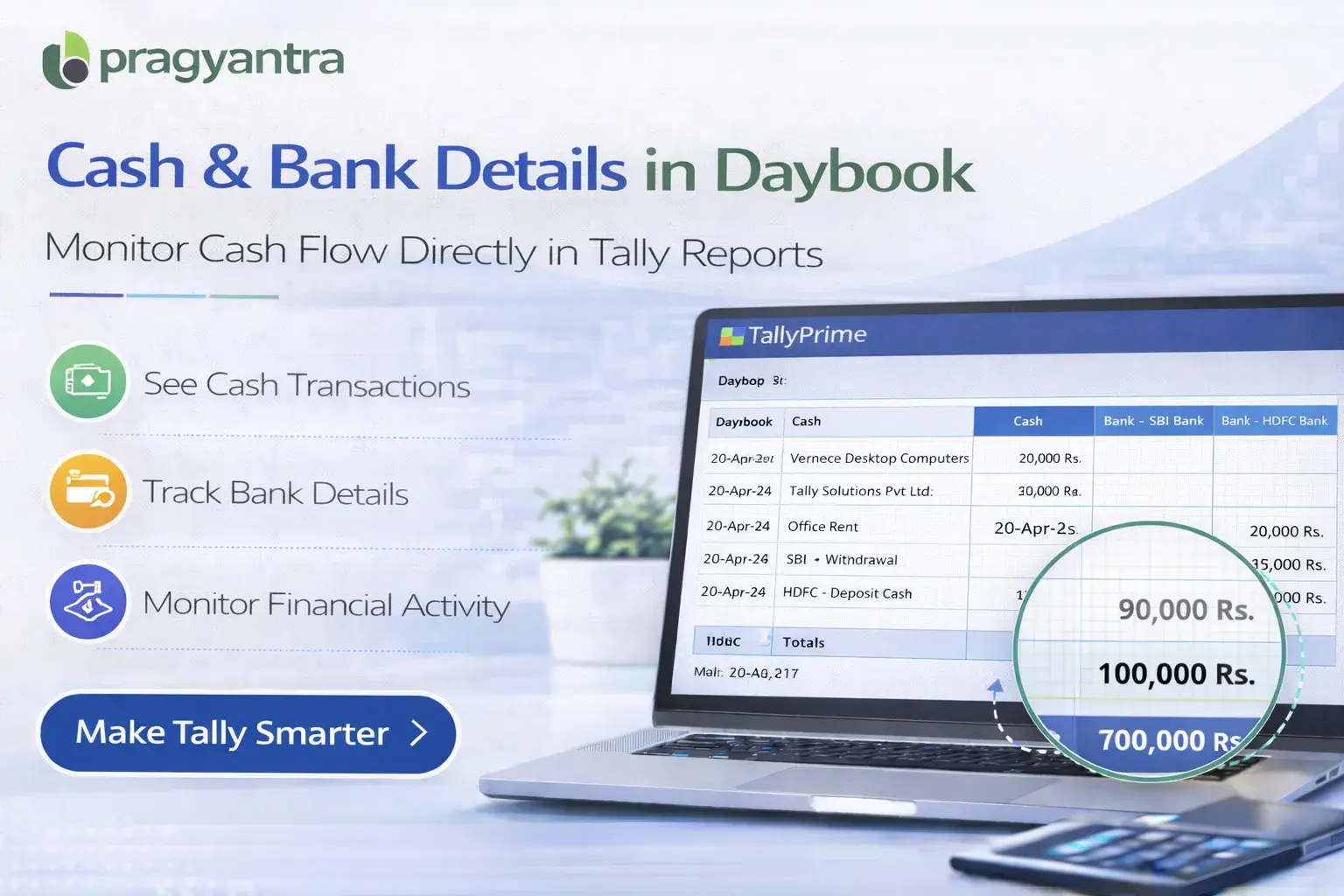
The Enable Cash/Bank Books Details in Daybook Add‑on developed by Pragyantra enhances the Daybook report by displaying cash and bank related details directly within the Daybook view.
With this add‑on, businesses can quickly identify and analyze cash and bank transactions without switching between multiple reports, improving accounting efficiency and financial transparency.
The Enable Cash/Bank Books Details in Daybook Add‑on is a custom Tally module that enhances the Daybook report by including cash book and bank book related transaction details.
Normally, the Daybook shows Voucher Date, Type, Number, Ledger Name, and Debit/Credit amounts. With this add‑on installed, users can also view:
This makes the Daybook report more informative and useful for reviewing daily financial activity in one single screen.
Businesses frequently review cash and bank transactions to monitor daily cash flow, payment processing, and bank activity. Without integrated information in the Daybook, accountants often need to:
This process can slow down accounting workflows. The Pragyantra Cash/Bank Details Add‑on solves this problem by showing cash and bank book related details directly inside the Daybook report.
Cash & Bank Details in Daybook
The add‑on displays cash and bank ledger transaction details within the integrated Daybook report.
Faster Transaction Review
Accountants can analyze cash and bank activity without opening multiple report windows.
Improved Financial Visibility
Businesses get a clearer picture of daily cash flow and bank transactions in a consolidated view.
Works with Standard Daybook Report
The add‑on integrates seamlessly with the existing Daybook report structure in Tally.
Lightweight & High Performance
Built using optimized TDL architecture, ensuring smooth performance without affecting Tally speed.
This add‑on works with:
✔ TallyPrime
✔ Tally ERP 9
1. Will this add-on show both Cash and Bank balances in the Daybook?
Yes, it allows you to view transaction details related to both Cash and Bank ledgers directly within the integrated Daybook report.
2. Can I filter the Daybook for only Bank transactions?
Yes, you can use the standard Tally filters within the enhanced Daybook to focus specifically on Bank or Cash entries as per your requirement.
3. Does it help in daily Cash/Bank reconciliation?
Absolutely. By showing Cash and Bank details alongside other daily entries, it makes it much faster to verify and reconcile your daily accounts.
4. Is it compatible with TallyPrime?
Yes, it is fully compatible with all releases of TallyPrime and Tally ERP 9.
Get a 360-degree view of your daily transactions, cash flow, and bank activity in a single screen. Make your Tally smarter with Pragyantra.
👉 Contact Pragyantra today to streamline your daily financial reporting.
Your email address will not be published. Required fields are marked *
Please login to write review!
Looks like there are no reviews yet.