
Control Selling Price if it’s below than Cost Price
Prevent selling below cost price in TallyPrime with Pragyantra’s add‑on. Protect profit margins, avoid losses, and enforce pricing control in your business.
Elevate Your Business with Our Comprehensive Consulting Services.
Revolutionize Your Business Strategy with Our Expertise.
Introducing Our New Business Consulting Solutions!

In many businesses, especially in trading, retail, and distribution, pricing plays a crucial role in maintaining profitability. However, due to human error, lack of pricing control, or pressure sales, users may sometimes create invoices where the selling price is lower than the cost price. This can result in:
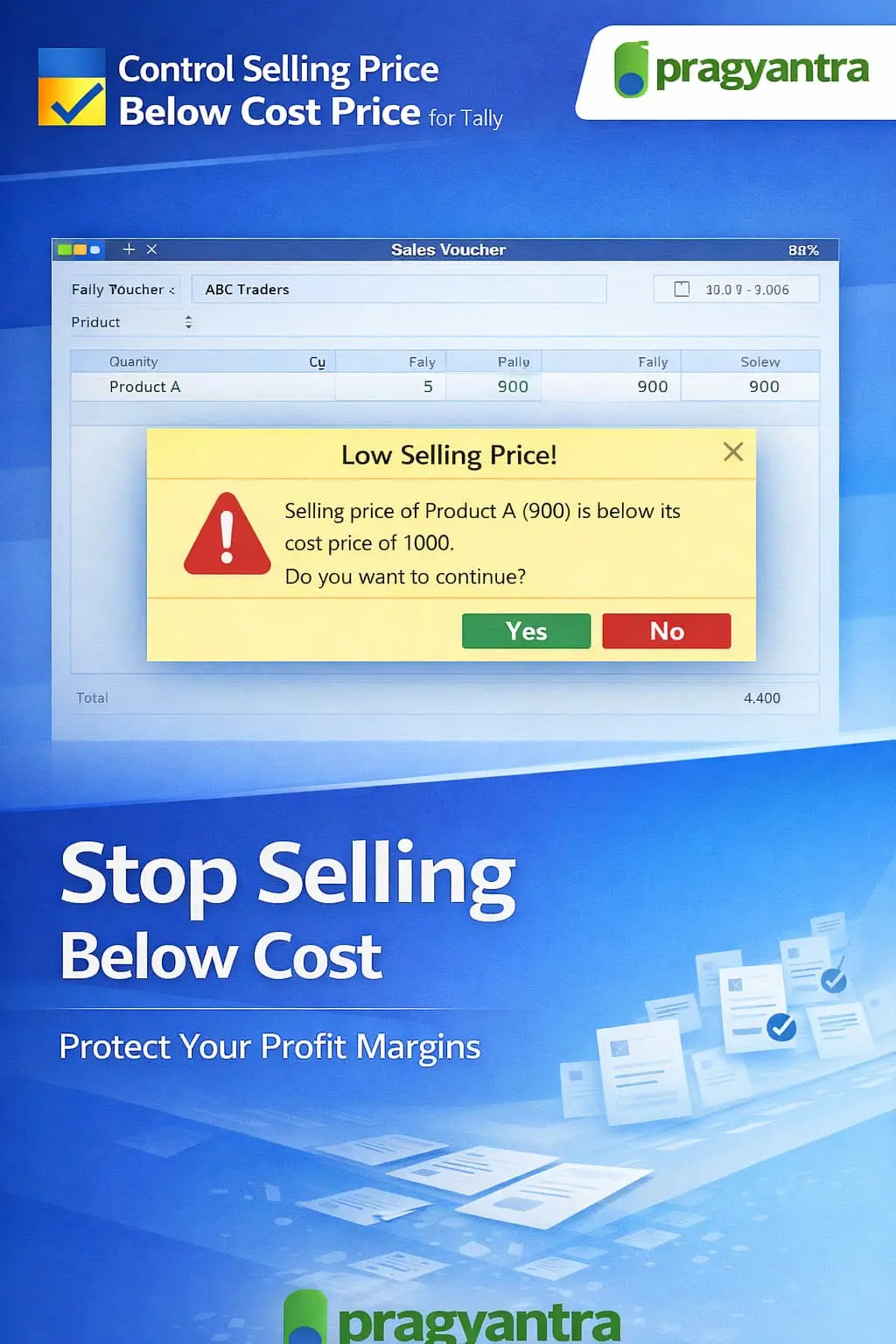
The Control Selling Price if it’s Below Cost Price Add‑on by Pragyantra helps businesses prevent or control such transactions in TallyPrime, ensuring that no product is sold below its cost unless specifically authorized.
This add‑on is a custom Tally module that validates item pricing during sales entry and ensures that the selling price is not lower than the cost price. With this add‑on installed, Tally can:
Selling below cost can severely damage business health. Common problems include accidental low-price billing and unauthorized heavy discounts by sales staff. The Pragyantra Cost Price Protection Add‑on helps businesses enforce profit protection rules, ensuring every transaction contributes positively to the bottom line.
Cost vs Selling Price Validation
Built-in intelligence to calculate the cost (Latest Purchase/Average) and validate it against the current sale price.
Real‑Time Alerts & Restriction
Displays clear warning messages and provides an optional hard-block to stop loss-making sales at the source.
Permission-Based Override
Maintains operational flexibility by allowing senior management to authorize specific low-price sales.
Works Across Sales Vouchers
Fully compatible with Sales Invoices, POS Billing, and Delivery Notes.
Lightweight & High Performance
Optimized TDL architecture ensures that price validation happens in milliseconds without slowing down billing.
This add‑on works with:
✔ TallyPrime
✔ Tally ERP 9
1. How does Tally calculate the 'Cost Price' for comparison?
The add-on can be configured to use either your Latest Purchase Price or the Average Cost of the item available in your stock to ensure the most accurate comparison.
2. Can I still sell below cost if I need to clear old stock?
Yes. While the add-on blocks regular users, an authorized manager or admin can override the restriction with a secure password to allow clearance sales or special discounts.
3. Will it show the exact margin or loss amount during billing?
The add-on primarily focuses on control. It will trigger a real-time alert showing that the 'Selling Price is lower than Cost', allowing the operator to correct the price immediately.
4. Does this work on POS (Point of Sale) invoices as well?
Absolutely. It is fully compatible with both standard Sales Vouchers and POS Billing screens, ensuring profit protection at every checkout counter.
A single wrong entry can wipe out your day's profit. Enforce strict pricing discipline and ensure every sale is a profitable one with Pragyantra’s Cost Price Protection.
👉 Contact Pragyantra today to automate your profit safety net in TallyPrime.
Your email address will not be published. Required fields are marked *
Please login to write review!
Looks like there are no reviews yet.