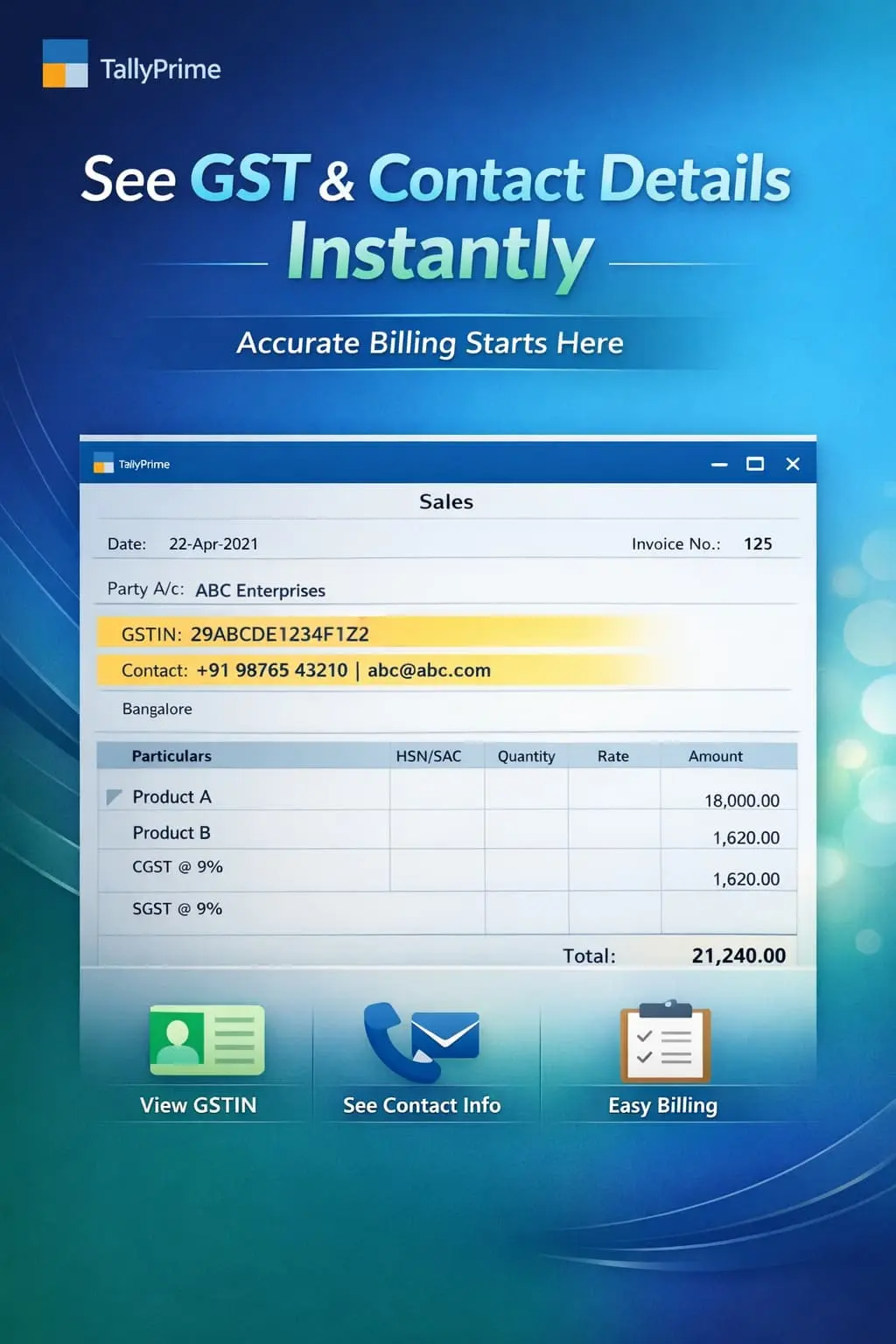
Enable to Display Ledgers GSTIN & Contact Details
Show GSTIN, contact number, email, and address during voucher entry in TallyPrime with Pragyantra’s add‑on. Improve accuracy, speed, and GST compliance.
Revolutionize Your Business Strategy with Our Expertise.
Elevate Your Business with Our Comprehensive Consulting Services.
Introducing Our New Business Consulting Solutions!

In GST-compliant businesses, maintaining and verifying accurate ledger details like GSTIN, Contact Numbers, and Addresses is essential for professional invoicing. However, in standard TallyPrime, these details are hidden inside the Ledger Master, forcing users to:
The Enable to Display Ledgers GSTIN & Contact Details Add‑on by Pragyantra solves this by bringing key party information directly to your voucher entry screen for instant visibility.
This add‑on is a custom Tally module that acts as a "Quick Info Dashboard" within your transaction screen. With this add‑on installed, Tally can:
In a fast-paced environment, looking for a customer's phone number or GSTIN in separate reports is inefficient. If you have similar party names, the GSTIN is the only way to be 100% sure. The Pragyantra Ledger Info Add‑on provides real-time data access, making your accounting process more transparent and error-free.
GSTIN Display in Voucher Entry
Shows the GST number of the selected ledger prominently on the entry screen.
Comprehensive Contact Visibility
Instantly fetches and displays the Phone Number and Email from the ledger master.
One-Screen Information Access
No need to leave the voucher screen or open the master; all critical data is right in front of you.
Works Across All Vouchers
Full compatibility with Sales, Purchase, Receipt, and Payment vouchers.
Lightweight & Optimized
Advanced TDL architecture that displays information instantly without slowing down your TallyPrime performance.
This add‑on works with:
✔ TallyPrime
✔ Tally ERP 9
1. Can I edit the contact details directly from the voucher screen?
The add-on is designed to display the details for verification. To edit them, you should use the standard 'Ctrl + Enter' shortcut to update the Ledger Master so that the records remain consistent.
2. What if a ledger does not have a GSTIN or contact number?
If the information is missing in the Ledger Master, the field will simply appear blank on the entry screen, alerting you to update the party's profile.
3. Will these details be printed on my invoice?
This add-on focuses on the on-screen display during entry. Tally already has options to print GSTIN and address on invoices. If you need a customized print format, Pragyantra can help.
4. Does it show details for Bank Ledgers too?
Yes, it can display relevant information (like Account Number or Branch if entered in the master) for any ledger selected in the voucher.
Get instant visibility of GSTIN and contact details directly on your Tally screen. Eliminate errors and speed up your daily accounting with Pragyantra.
👉 Contact Pragyantra today to empower your TallyPrime with advanced ledger visibility.
Your email address will not be published. Required fields are marked *
Please login to write review!
Looks like there are no reviews yet.