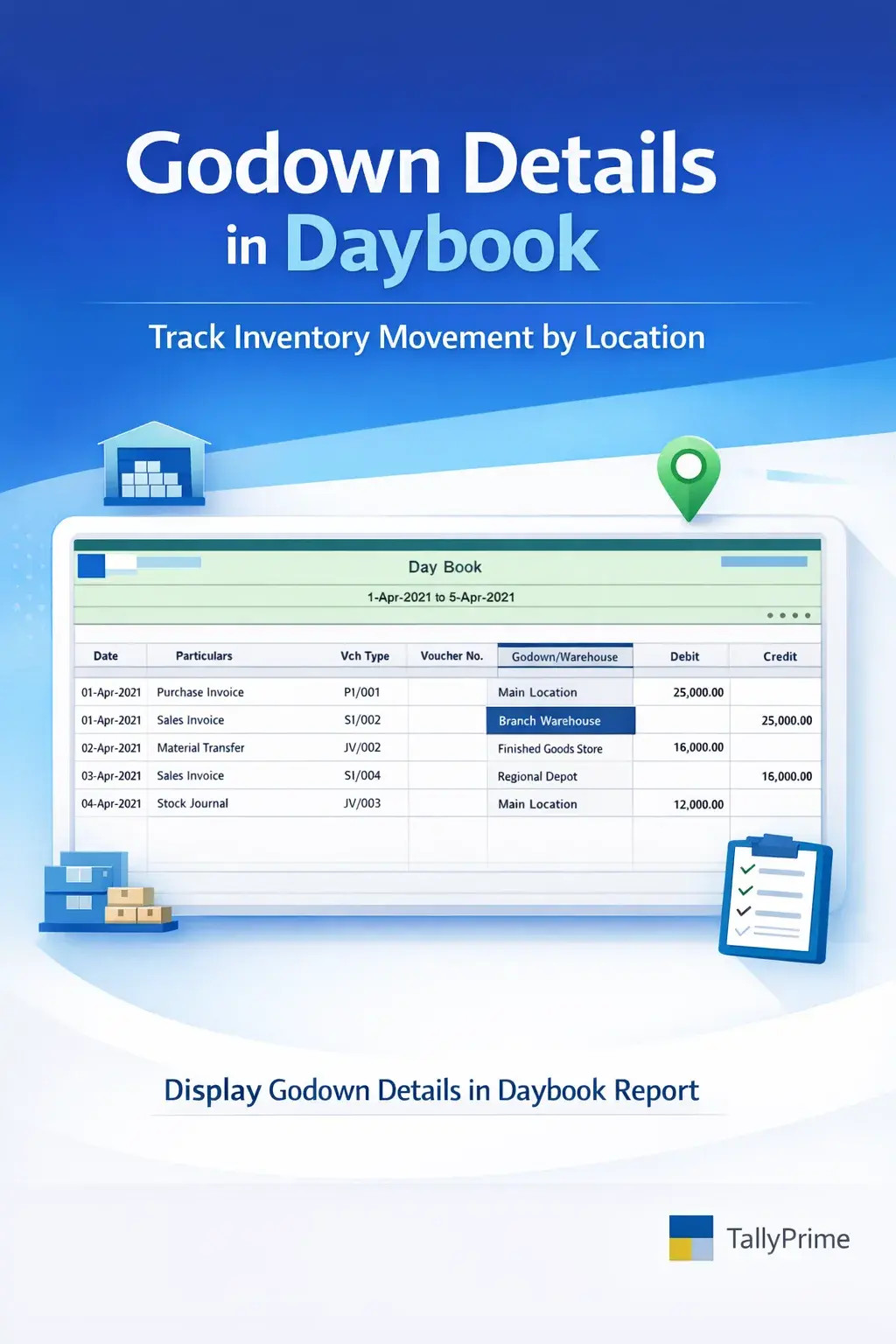
Display Godown details in Daybook Report
Display godown‑wise inventory details directly in the Daybook report in TallyPrime with Pragyantra’s add‑on. Improve stock tracking and inventory visibility.
Introducing Our New Business Consulting Solutions!
Revolutionize Your Business Strategy with Our Expertise.
Elevate Your Business with Our Comprehensive Consulting Services.

The Daybook report in TallyPrime provides a complete record of daily transactions including sales, purchases, receipts, payments, and journal entries. It is widely used by accountants for reviewing daily financial and inventory activities.
However, for businesses managing inventory across multiple godowns (warehouses), the default Daybook report does not always display godown-wise stock details directly within the report. This makes it difficult to track from which godown the stock was issued or received.
The Display Godown Details in Daybook Report Add‑on by Pragyantra enhances Tally reporting by showing godown information directly in the Daybook report.
With this add‑on, businesses can easily track inventory movement across locations, improving stock control and operational visibility.
This add‑on is a custom Tally module that enhances the Daybook report by adding godown (warehouse) details for each inventory transaction.
Normally, the Daybook shows Voucher Date, Type, Number, Ledger Name, and Amount. With this add‑on installed, it will also display:
This makes the Daybook report more powerful for inventory tracking without needing to open separate inventory books.
Businesses that manage stock in multiple locations often need to track where inventory is moving from and to on a daily basis. Without godown details in Daybook, users may face challenges such as:
The Pragyantra Godown Details Add‑on solves this by displaying location-wise inventory details directly in the Daybook.
Godown Details in Daybook
Displays godown names for each inventory transaction directly in the Daybook report view.
Location‑Wise Stock Tracking
Track stock movement across multiple warehouses in a single, consolidated daily report.
Improved Inventory Visibility
Users can clearly see which godown is involved in each sale, purchase, or transfer transaction.
Faster Daily Review
No need to open vouchers separately to check inventory locations, saving valuable time.
Lightweight & High Performance
Built on optimized TDL architecture — it is fast, efficient, and does not lag with large data.
This add‑on works with:
✔ TallyPrime
✔ Tally ERP 9
1. Will the Godown name appear for all types of vouchers in the Daybook?
This add-on is specifically designed to show godown details for inventory-linked vouchers like Sales, Purchases, Stock Journals, and Delivery/Receipt Notes.
2. Can I see multiple godown names if one invoice has items from different locations?
Yes, the add-on provides item-wise godown visibility, so if an invoice contains items from different godowns, each will be displayed correctly in the report.
3. Does this add-on modify any of my existing Tally data?
No. It is a reporting add-on that only fetches and displays existing information in a more convenient view. Your data remains 100% safe and untouched.
4. Is it compatible with TallyPrime's latest releases?
Yes, it is fully compatible with all versions of TallyPrime and Tally ERP 9.
Stop digging through individual vouchers to find warehouse details. Get a complete, location-wise summary of your daily operations directly in your Daybook with Pragyantra.
👉 Contact Pragyantra today for Tally Add-ons that simplify your daily accounting and inventory tracking.
Your email address will not be published. Required fields are marked *
Please login to write review!
Looks like there are no reviews yet.