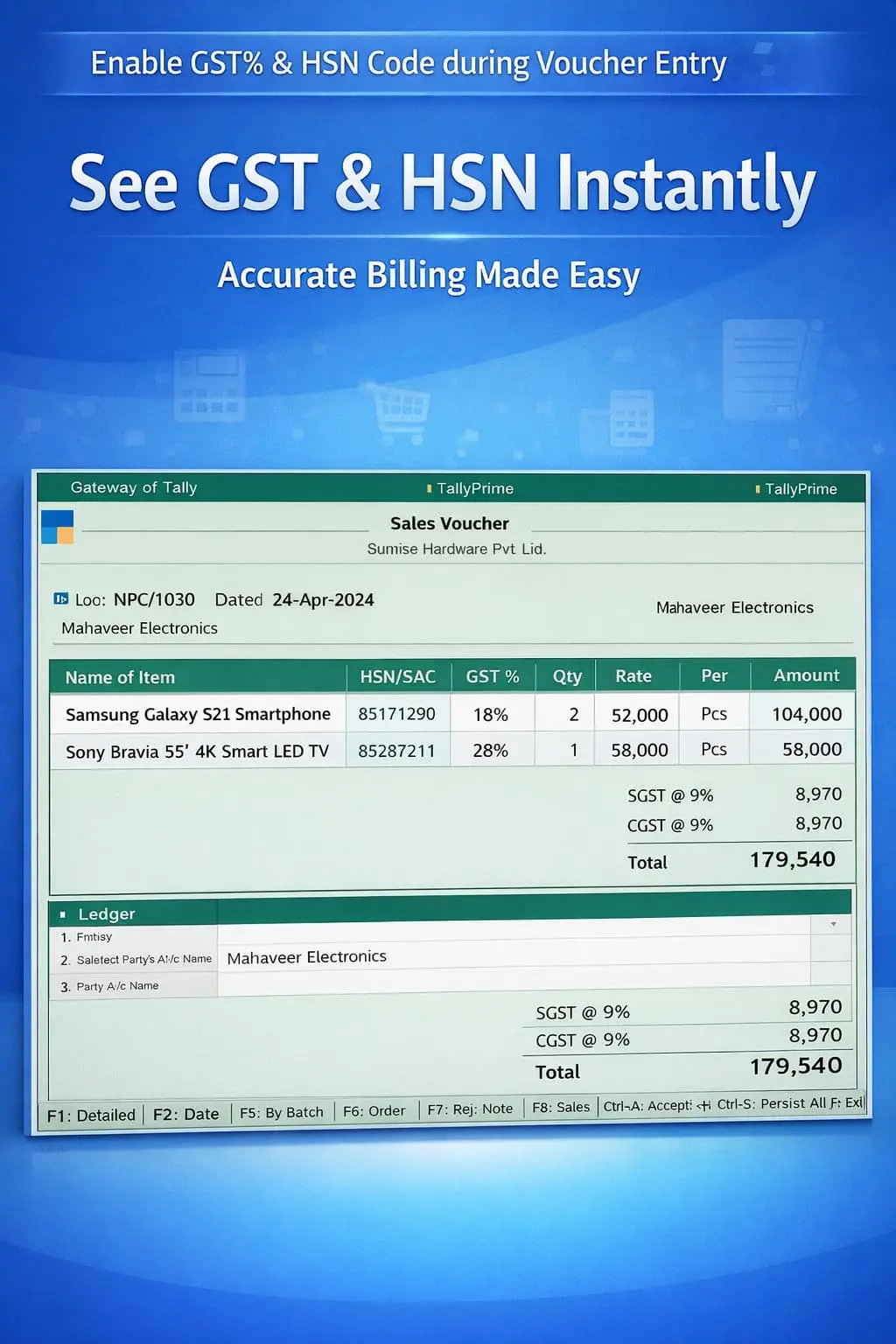
Enable GST% & HSN Code during Voucher Entry
Show GST% and HSN code during voucher entry in TallyPrime with Pragyantra’s add‑on. Ensure accurate billing, reduce errors, and stay GST compliant.
Elevate Your Business with Our Comprehensive Consulting Services.
Introducing Our New Business Consulting Solutions!
Revolutionize Your Business Strategy with Our Expertise.

In GST-compliant businesses, capturing accurate GST rate (%) and HSN code during voucher entry is essential for correct tax calculation and smooth return filing. However, in TallyPrime, users often cannot see these details on the entry screen, leading to:
The Enable GST% & HSN Code during Voucher Entry Add‑on by Pragyantra solves this by displaying live tax details directly on your billing screen, ensuring every transaction is 100% compliant.
This add‑on is a custom Tally module that adds a "Tax Intelligence" layer to your voucher entry. With this add‑on installed, Tally can:
Manual verification is the biggest cause of GST mismatches. If you deal with hundreds of items with different tax slabs, a visual indicator is a must. The Pragyantra GST Display Add‑on ensures real-time tax validation, helping you avoid departmental notices and expensive tax corrections later.
GST% Display in Voucher Entry
Adds a dedicated column or field to show the GST percentage for every line item in the invoice.
HSN Code Visibility
Captures and shows the HSN/SAC code from the master data, ensuring it’s present before you print.
Works Across All Vouchers
Full support for Sales Invoices, Purchase Entries, Credit/Debit Notes, and POS Billing.
Integrated with Stock Selection
The moment you highlight an item in the list, its tax details are visible for quick reference.
Lightweight & Optimized
Advanced TDL architecture that fetches tax data instantly without lagging your billing process.
This add‑on works with:
✔ TallyPrime
✔ Tally ERP 9
1. Can I edit the GST rate directly on the entry screen?
The add-on primarily displays the rate from the Item Master to ensure accuracy. To change a rate, it is always recommended to update the Stock Item Master or use Tally's standard tax override features.
2. Does it show the HSN code for Service ledgers too?
Yes. It works for both Stock Items and Service Ledgers, displaying the relevant HSN or SAC code as per your master configuration.
3. Will this add-on affect the total value of my invoice?
No. This is a display-enhancement tool. It helps you see the tax data clearly so you can ensure Tally is calculating the tax correctly based on your masters.
4. What if an item has no GST rate defined in the master?
The field will remain blank or show zero, immediately alerting the operator that tax details are missing in the master settings.
Stop the guesswork and manual verification. Get instant visibility of GST rates and HSN codes directly on your Tally screen with Pragyantra.
👉 Contact Pragyantra today to simplify your GST compliance and speed up your daily invoicing.
Your email address will not be published. Required fields are marked *
Please login to write review!
Looks like there are no reviews yet.