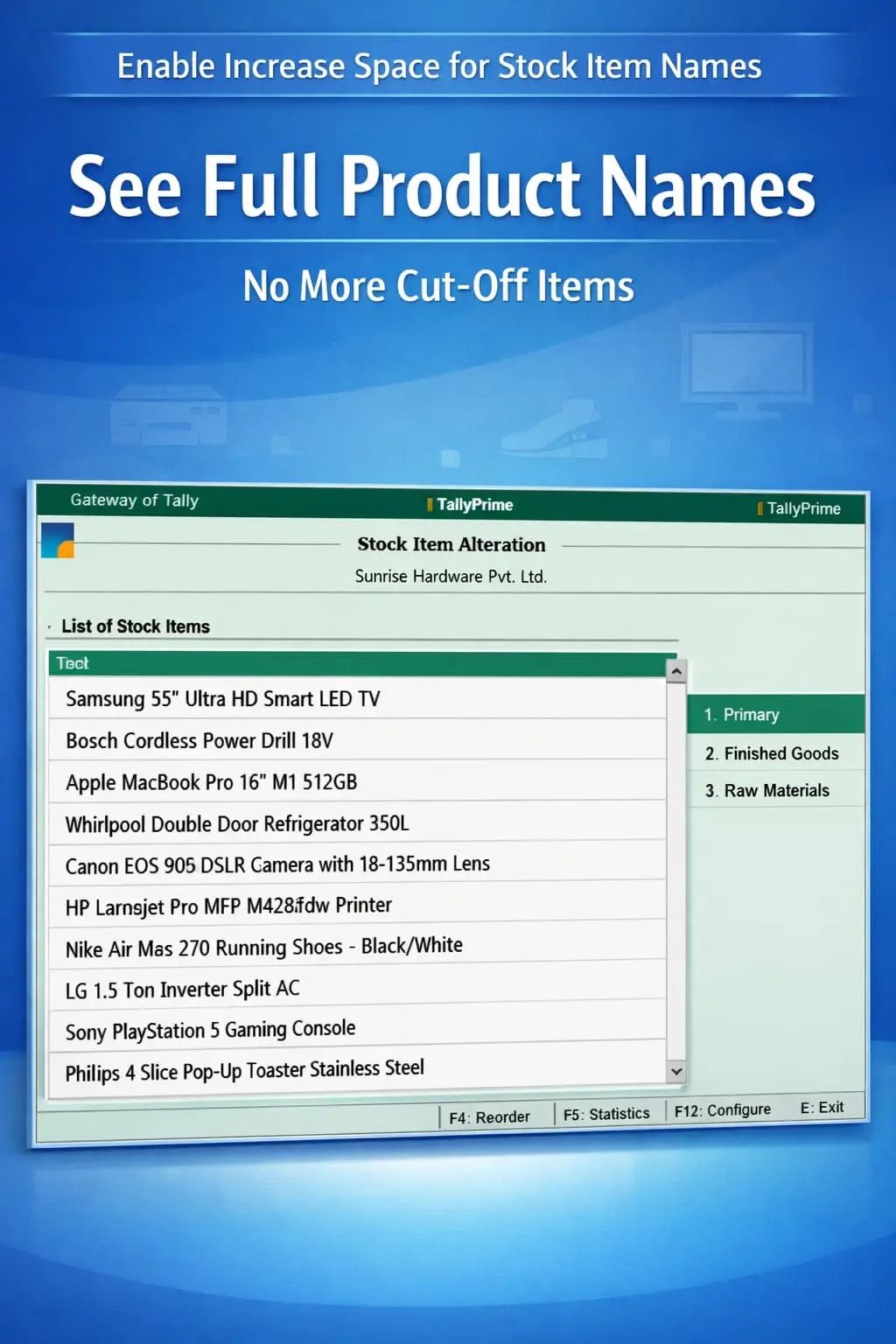
Enable Increase Space for Stock Item Names
Increase display space for stock item names in TallyPrime with Pragyantra’s add‑on. View full product names, reduce errors, and improve inventory efficiency.
Revolutionize Your Business Strategy with Our Expertise.
Introducing Our New Business Consulting Solutions!
Elevate Your Business with Our Comprehensive Consulting Services.

In inventory-heavy businesses, stock item names often carry detailed technical specifications like brand, size, color, or model numbers. However, in TallyPrime, the default display space is limited, which often leads to:
The Enable Increase Space for Stock Item Names Add‑on by Pragyantra solves this by expanding the display width across all inventory screens, ensuring your staff sees the full product story at a glance.
This add‑on is a custom Tally module designed to optimize the inventory interface. With this add‑on installed, Tally can:
Text-based inventory management fails when you can't see the full text. If your items are named by technical specs, a limited display is a liability. The Pragyantra Stock Item Display Enhancement Add‑on ensures clear and complete visibility, allowing your team to work with 100% confidence and speed.
Increased Item Name Space
Customized TDL logic that widens the stock item columns across all transaction and report screens.
Full Name Visibility
Eliminates the "..." truncation, ensuring the full product title is always visible during entry.
Integrated with Reports
Displays full names in Sales Register, Purchase Register, Stock Summary, and Daybook.
Faster Product Selection
Allows operators to identify the correct variant instantly without scrolling or guesswork.
Lightweight Architecture
Built on a high-performance framework that enhances the UI without affecting Tally's speed.
This add‑on works with:
✔ TallyPrime
✔ Tally ERP 9
1. Does this add-on allow me to type longer names than Tally's limit?
Tally already allows very long names. This add-on specifically helps you see those long names on the screen so they don't get cut off in the list.
2. Will the increased space affect the printing of my invoices?
This add-on optimizes the on-screen display and internal reports. For invoice printing, Tally usually adjusts based on the format. We can provide a custom invoice design if you want full names printed as well.
3. Can I use this along with the 'Ledger Name Space' add-on?
Yes, both add-ons are compatible and work together to give you a wider, clearer view of your entire Tally ecosystem.
4. Is it possible to revert to the old view?
Yes. The add-on can be easily disabled from the TDL configuration if you wish to go back to the default view, though most users find the expanded view much better.
Don't let truncated names lead to wrong billing. Get a clear, full view of your stock items and speed up your inventory operations with Pragyantra.
👉 Contact Pragyantra today to make your TallyPrime inventory management faster and more accurate.
Your email address will not be published. Required fields are marked *
Please login to write review!
Looks like there are no reviews yet.