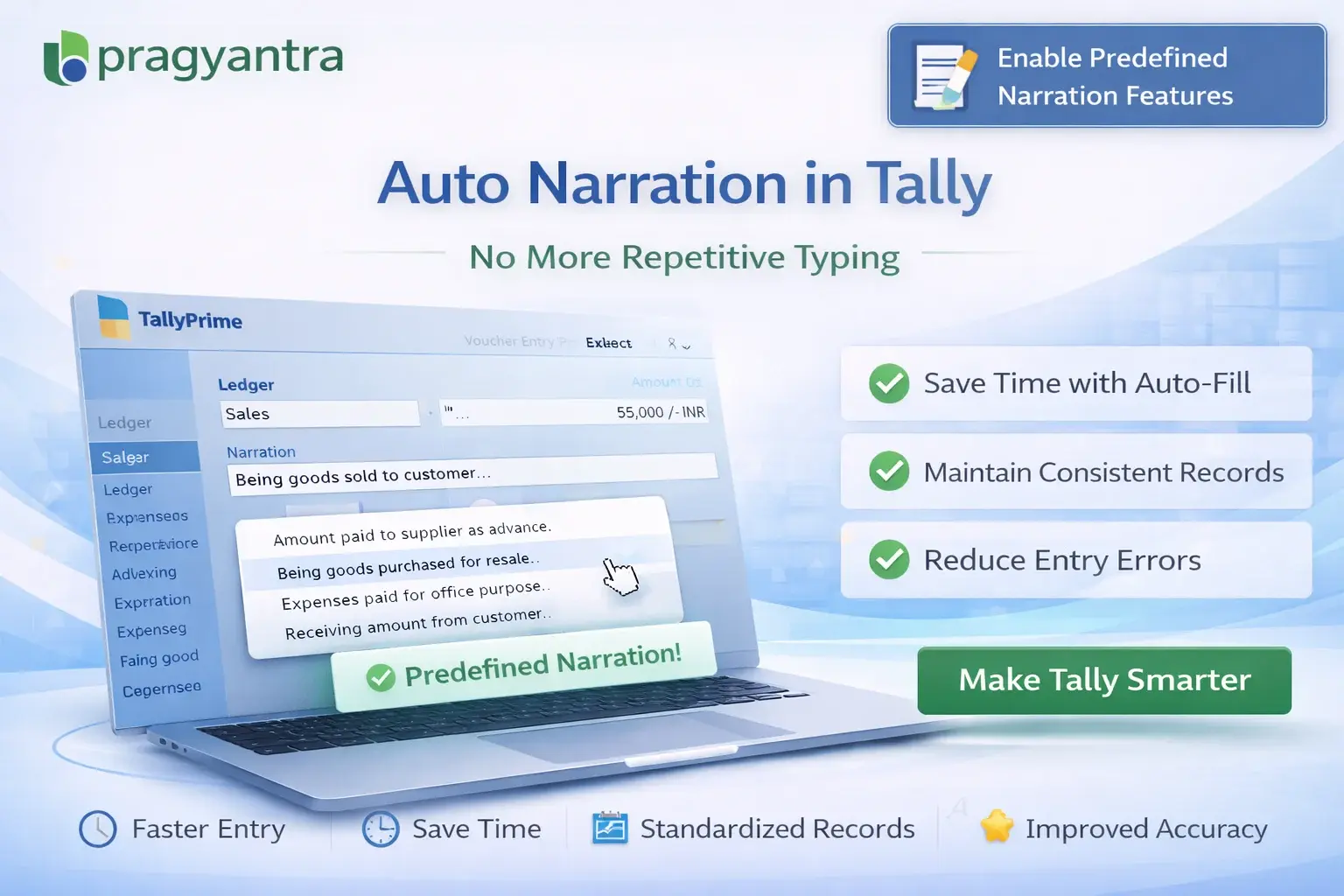
Enable Predefined Narration Features
Automate voucher narrations in TallyPrime with Pragyantra’s add‑on. Save time, improve accuracy, and standardize accounting entries effortlessly.
Revolutionize Your Business Strategy with Our Expertise.
Introducing Our New Business Consulting Solutions!
Elevate Your Business with Our Comprehensive Consulting Services.

In daily accounting operations, entering narrations in vouchers is a common but highly repetitive task. Whether it’s sales, purchase, payment, or journal entries, users often type similar descriptions again and again. This leads to:
The Enable Predefined Narration Features Add‑on by Pragyantra helps businesses automate narration entry in TallyPrime by using predefined templates, ensuring faster and more accurate documentation.
This add‑on is a custom Tally module that allows users to create and use standardized narration templates. With this add‑on installed, Tally can:
Manual entry is the enemy of efficiency. When multiple operators use different styles for the same type of entry, auditing becomes a nightmare. The Pragyantra Predefined Narration Add‑on solves this by standardizing your documentation, making your books look clean, professional, and easy to audit.
Custom Narration Library
Build your own library of standard narrations tailored to your specific business needs.
Instant Pop-up List
Access your saved narrations via a smart pop-up list directly at the narration field in any voucher.
Universal Voucher Support
Works perfectly across Sales, Purchase, Payment, Receipt, Contra, and Journal vouchers.
Standardized Documentation
Ensures that even new staff members use the correct and approved narration formats from day one.
Lightweight & Fast
Optimized TDL architecture ensures that the narration list loads instantly without any lag.
This add‑on works with:
✔ TallyPrime
✔ Tally ERP 9
1. Can I still type a manual narration if none of the templates fit?
Yes. The predefined list is a helpful shortcut, but it does not block you from typing a unique manual narration whenever required.
2. Can I set different narrations for different voucher types (e.g., Sales vs. Payment)?
Absolutely. You can categorize your narrations so that only relevant templates appear based on the voucher type you are currently using.
3. Is there a limit to how many predefined narrations I can save?
There is no practical limit. You can save as many templates as your business needs to cover all possible transaction scenarios.
4. Will these predefined narrations appear in my Ledger and Daybook reports?
Yes. Once selected and saved in the voucher, they behave exactly like standard narrations and will appear in all Tally reports and printed documents.
Stop typing the same narrations every single day. Standardize your accounting and save valuable time with Pragyantra’s Predefined Narration Add-on.
👉 Contact Pragyantra today to automate your repetitive accounting tasks and improve workflow efficiency.
Your email address will not be published. Required fields are marked *
Please login to write review!
Looks like there are no reviews yet.