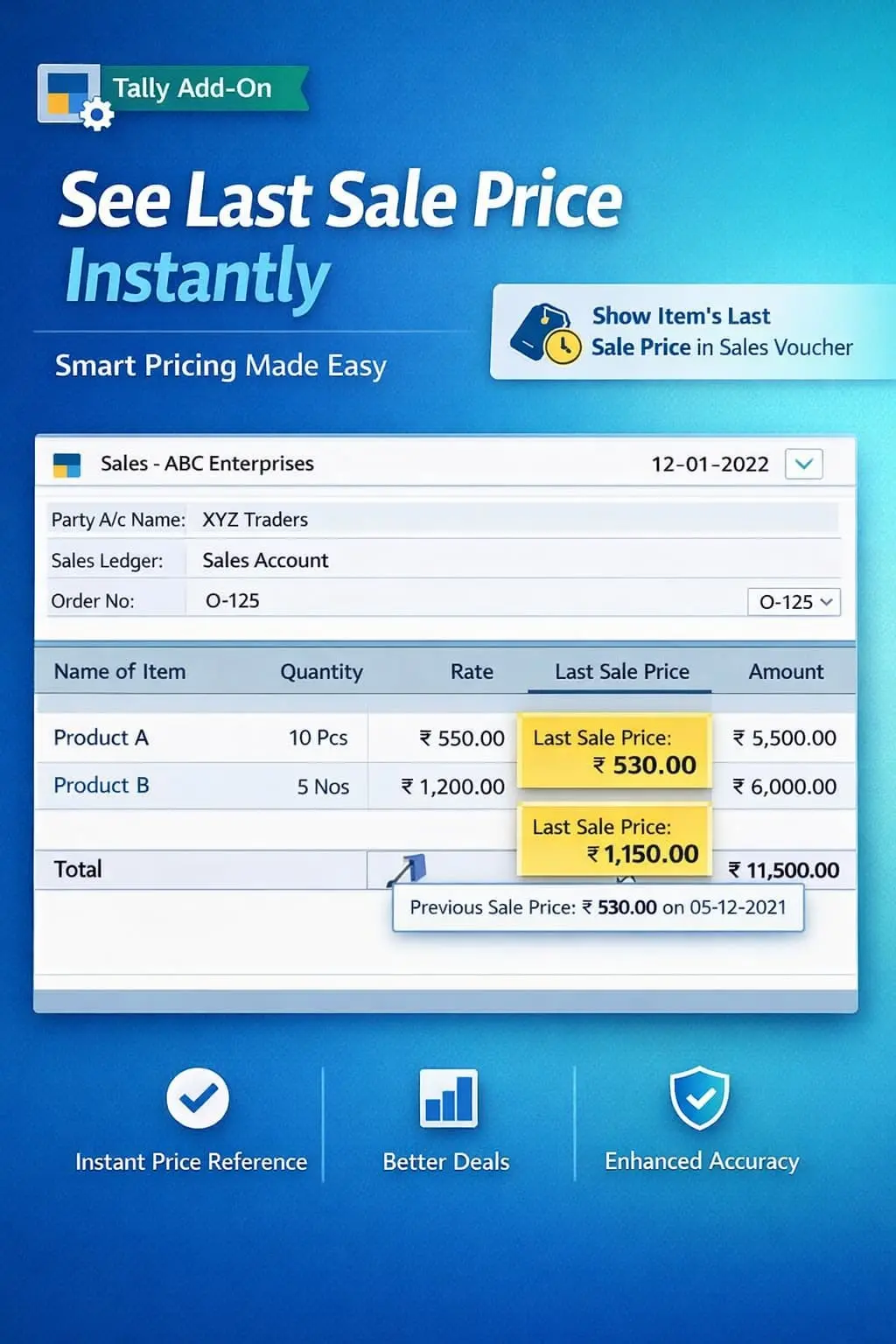
Show Item’s Last Sale Price in Sales Voucher
Display item’s last sale price during sales voucher entry in TallyPrime with Pragyantra’s add‑on. Improve pricing accuracy, maintain margins, and speed up billing.
Revolutionize Your Business Strategy with Our Expertise.
Introducing Our New Business Consulting Solutions!
Elevate Your Business with Our Comprehensive Consulting Services.

In competitive business environments, pricing plays a crucial role in profitability. While creating sales invoices in TallyPrime, knowing the last sale price of an item helps businesses maintain consistency and protect margins. However, by default, Tally does not show this during entry, leading to:
The Show Item’s Last Sale Price in Sales Voucher Add‑on by Pragyantra solves this by displaying the most recent sold price instantly during sales entry.
This add‑on is a custom Tally module that functions as a "Price Intelligence" tool within your Sales Voucher. With this add‑on installed, Tally can:
Consistency builds trust. If you charge different rates for the same product without a clear record, it hurts your professional image. The Pragyantra Last Sale Price Add‑on ensures that price history is always at your fingertips, allowing you to negotiate better and maintain your bottom line.
Last Sale Price Display
Shows the most recent selling price prominently on the sales entry screen for every line item.
Real-Time Price Reference
Instantly compare the current invoice rate with the last transaction recorded in the system.
Universal Sales Support
Fully integrated with Standard Sales Vouchers, POS Billing, and Tax Invoices.
Faster Billing Process
Eliminates the need to manually check past invoices, speeding up the entire billing cycle.
Lightweight & High Performance
Optimized TDL architecture that fetches the last rate instantly without lagging your TallyPrime session.
This add‑on works with:
✔ TallyPrime
✔ Tally ERP 9
In competitive business environments, pricing plays a crucial role in profitability. While creating sales invoices in TallyPrime, knowing the last sale price of an item helps businesses maintain consistency and protect margins. However, by default, Tally does not show this during entry, leading to:
The Show Item’s Last Sale Price in Sales Voucher Add‑on by Pragyantra solves this by displaying the most recent sold price instantly during sales entry.
This add‑on is a custom Tally module that functions as a "Price Intelligence" tool within your Sales Voucher. With this add‑on installed, Tally can:
Consistency builds trust. If you charge different rates for the same product without a clear record, it hurts your professional image. The Pragyantra Last Sale Price Add‑on ensures that price history is always at your fingertips, allowing you to negotiate better and maintain your bottom line.
Last Sale Price Display
Shows the most recent selling price prominently on the sales entry screen for every line item.
Real-Time Price Reference
Instantly compare the current invoice rate with the last transaction recorded in the system.
Universal Sales Support
Fully integrated with Standard Sales Vouchers, POS Billing, and Tax Invoices.
Faster Billing Process
Eliminates the need to manually check past invoices, speeding up the entire billing cycle.
Lightweight & High Performance
Optimized TDL architecture that fetches the last rate instantly without lagging your TallyPrime session.
This add‑on works with:
✔ TallyPrime
✔ Tally ERP 9
1. Does this show the last sale price for that specific customer or for the whole company?
The standard version shows the last sale price recorded in the system for that item. However, Pragyantra can customize it to show the Last Rate for the Selected Party for even more precise control.
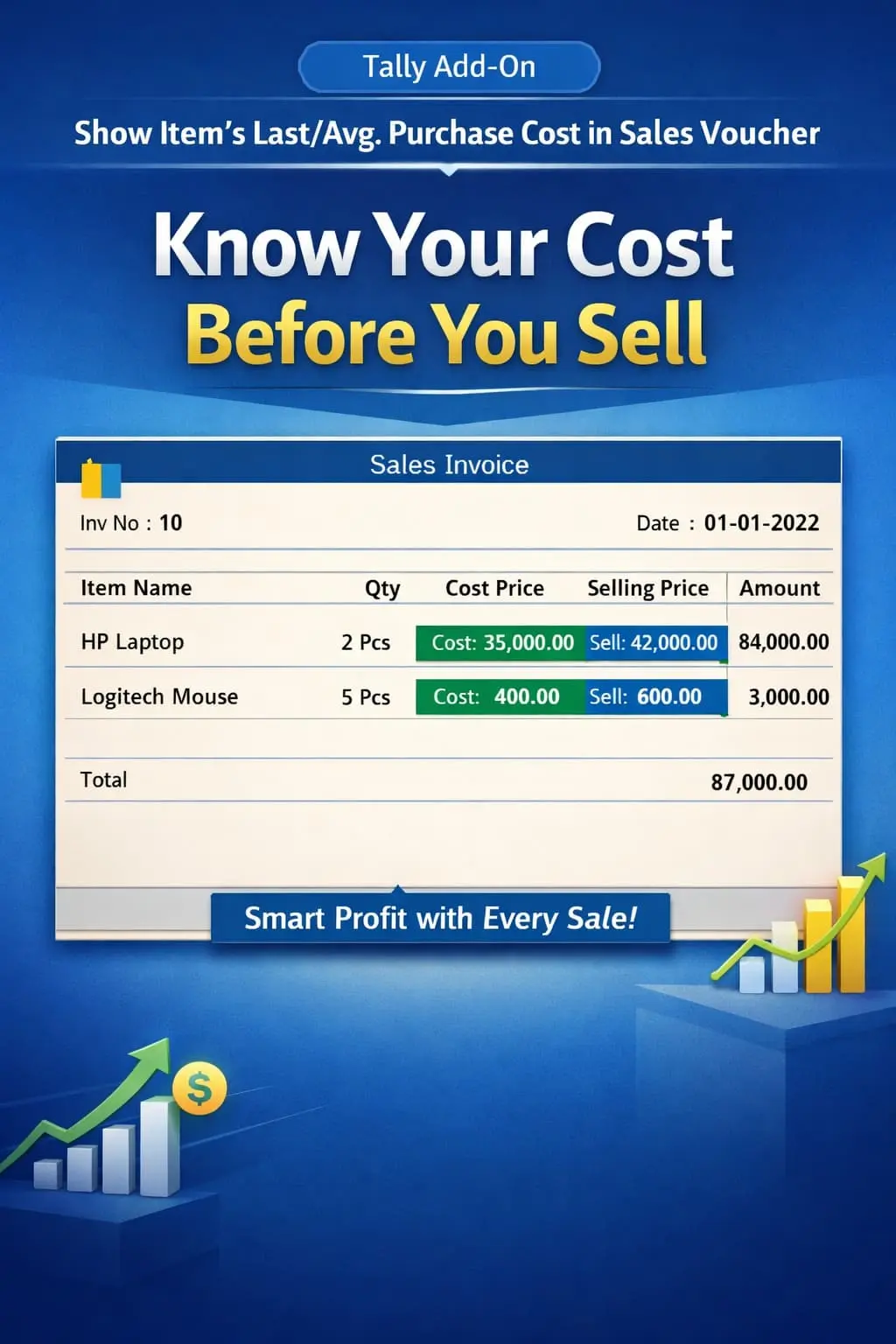
2. Can I see the Purchase Price as well during Sales entry?
This specific add-on focuses on the Sale Price. If you need to see the 'Last Purchase Price' for margin calculation, we can provide a combined pricing dashboard.
3. Will the last sale price be visible on the printed invoice?
No. This is an internal reference tool for the data entry operator only. It is not printed on the customer's invoice.
4. Does it work with multi-currency?
Yes, it fetches the last recorded rate from the voucher history, ensuring accuracy regardless of the currency used in the transaction.
1. Does this show the last sale price for that specific customer or for the whole company?
The standard version shows the last sale price recorded in the system for that item. However, Pragyantra can customize it to show the Last Rate for the Selected Party for even more precise control.
2. Can I see the Purchase Price as well during Sales entry?
This specific add-on focuses on the Sale Price. If you need to see the 'Last Purchase Price' for margin calculation, we can provide a combined pricing dashboard.
3. Will the last sale price be visible on the printed invoice?
No. This is an internal reference tool for the data entry operator only. It is not printed on the customer's invoice.
4. Does it work with multi-currency?
Yes, it fetches the last recorded rate from the voucher history, ensuring accuracy regardless of the currency used in the transaction.
Get instant visibility of previous sale rates and maintain 100% pricing consistency. Boost your profit control with Pragyantra’s Last Sale Price Add-on for TallyPrime.
👉 Contact Pragyantra today to empower your sales team with live pricing history.
Never Quote the Wrong Price Again
Get instant visibility of previous sale rates and maintain 100% pricing consistency. Boost your profit control with Pragyantra’s Last Sale Price Add-on for TallyPrime.
👉 Contact Pragyantra today to empower your sales team with live pricing history.
Your email address will not be published. Required fields are marked *
Please login to write review!
Looks like there are no reviews yet.