

ROI of Accounts Payable Automation: Calculating the Cost of a Manual Invoice
 By Pragyantra
- Accounting & ERP Systems
- Aug 19, 2026
- 13 minutes read
- 136 Views
Learn how to calculate the real cost of manual invoice processing and measure the ROI of Accounts Payable Automation for Indian businesses and SMEs.
📊 Practical Finance & AP Automation Guide
ROI of Accounts Payable Automation: Calculating the Cost of a Manual Invoice
A Practical, Data-Driven Framework for Indian SMEs to Measure True Invoice Processing Costs
For many Indian businesses, accounts payable still starts with a familiar routine: a supplier sends an invoice by email or WhatsApp, an executive downloads it, enters line items manually into accounting software, checks GST compliance, and chases management for payment approval.
One invoice may take only a few minutes. But when processing 500, 1,000, or 5,000 bills each month, the hidden labor of manual document verification and reconciliation accumulates rapidly. Deploying Accounts Payable Automationallows growing businesses to transition from manual entry to structured, verified financial management.
💡 Quick Summary: The Economics of AP Automation
- ✔ True manual invoice cost = Labor time + Error correction + Approvals + Reconciliation
- ✔ Eliminates duplicate vendor billings and missed Input Tax Credit (ITC)
- ✔ Replaces spreadsheet tracking with automated maker-checker workflows
- ✔ Connects directly into Accounting Software for SMEs like TallyPrime & ERPs
- ✔ Accessible 24/7 across branches when hosted on Tally on Cloud
- ✔ Frees accounting teams to focus on vendor relations and working capital planning
What Is Accounts Payable Automation?
Accounts Payable, commonly called AP, is the process of managing the money a business owes to its suppliers and vendors.
A typical accounts payable process includes:
- Receiving supplier invoices
- Checking invoice details
- Verifying purchase orders
- Validating GST information
- Matching invoices with purchase records
- Sending invoices for approval
- Recording invoices in accounting software
- Scheduling payments
- Reconciling supplier accounts
- Maintaining supporting documents
With Accounts Payable Automation, many of these repetitive activities can be handled through software, integrations, workflow rules, and automated data capture.
The goal is not necessarily to remove people from the process.
The goal is to reduce the amount of repetitive work people have to do.
Why Manual Invoice Processing Becomes Expensive
Manual invoice processing often looks inexpensive because businesses already have an accounts team.
But salary is only one part of the calculation.
Consider everything an accounts executive may have to do for a single invoice:
- Open the invoice
- Check supplier information
- Check invoice number and date
- Verify GST details
- Check purchase order
- Compare quantities and values
- Enter the invoice into accounting software
- Send it for approval
- Follow up on approval
- File the document
- Reconcile the transaction later
The actual cost of an invoice is therefore based on time + people + errors + follow-ups + delays.
How to Calculate the Cost of a Manual Invoice
A simple way to estimate your current cost is:
Cost per Invoice = Total AP Processing Cost ÷ Number of Invoices Processed
Your total AP processing cost can include:
- Employee salaries
- Time spent on invoice entry
- Approval and follow-up time
- Data correction
- Reconciliation
- Document storage
- Printing and scanning
- Software used for manual processes
- Cost of delayed payments or missed discounts
You do not need a complicated financial model to start.
Even a basic calculation can show whether your current process deserves a closer look.
A Simple Example for an Indian SME
Suppose an SME processes 2,000 supplier invoices per month.
Assume the accounts team spends an average of 10 minutes processing each invoice.
That means:
2,000 × 10 minutes = 20,000 minutes
That is approximately:
333 hours per month
Now imagine the business has an average fully loaded employee cost of ₹30,000 per month.
If the equivalent workload requires around 2 full-time employees, the direct staffing cost alone could be around:
₹60,000 per month
But the real cost may be higher because invoice processing also involves approvals, corrections, reconciliation, document handling, and management follow-ups.
This is why looking only at salary can give an incomplete picture.
The Hidden Costs of Manual Invoice Processing
1. Data Entry Errors
Typing invoice information manually creates opportunities for mistakes.
A wrong invoice number, amount, GST value, vendor code, or ledger selection can create additional work later.
The problem is not just the original mistake.
Someone has to find it, understand it, correct it, and sometimes reconcile the transaction again.
2. Approval Delays
An invoice can sit in someone's inbox for hours or days waiting for approval.
For businesses with multiple departments, locations, or approval levels, this becomes even more difficult.
A structured approval workflow can make it easier to see:
- Which invoices are pending
- Who needs to approve them
- How long they have been pending
- Which payments are approaching their due date
3. Reconciliation Work
The invoice may be entered correctly, but that does not always mean the accounts payable process is finished.
The accounts team may still need to match:
- Purchase orders
- Goods received
- Supplier invoices
- Payment records
- Credit notes
- GST information
This reconciliation work can take significant time when handled manually.
4. Document Searching
Someone may eventually ask:
"Can you send me the supplier invoice from March?"
If invoices are stored across emails, WhatsApp messages, folders, and physical files, finding one document can become unnecessarily difficult.
A centralized digital workflow makes document retrieval much easier.
5. Missed Payment Opportunities
Delayed invoice processing can sometimes result in missed early-payment discounts or late-payment situations.
The financial impact will depend on the supplier terms and the business, so it should be calculated using actual company data rather than assumed percentages.
Understanding the True Cost of Manual Processing
⚠️ The 5 Hidden Costs of Manual Workflows
- Data Entry Mistakes: Wrong GST values or misspelled ledger names require hours to locate and correct during month-end reconciliations.
- Approval Delays: Invoices sit in email inboxes for days, causing late-payment penalties and strained supplier relations.
- Reconciliation Time: Accounts teams spend days matching GSTR-2B files, bank statements, and purchase registers manually.
- Document Retrieval: Searching through scattered email attachments and paper folders slows audit reviews.
- Missed Early-Payment Discounts: Delayed processing prevents businesses from taking advantage of cash discount terms offered by suppliers.
How to Calculate the Cost of a Manual Invoice
A simple baseline equation to evaluate your current operations:
🏢 Step 1: Measure Workload
Suppose an SME processes 2,000 invoices/month. If staff spend an average of 10 minutes per invoice (entry + verification + filing), that equals 20,000 minutes (~333 hours/month).
💼 Step 2: Calculate Direct Staff Cost
Handling ~333 hours requires approximately 2 full-time employees. At an average loaded salary of ₹30,000/month, baseline staffing costs equal ₹60,000/month (₹7,20,000/year) before factoring in management approval time and audit corrections.
Calculating Expected ROI from Automation
📈 Standard ROI Formula
Once current manual expenses are identified, compare them against the cost of an automated solution using this formula:
Example: If manual operations cost ₹9,00,000/year and automation reduces operational costs to ₹5,50,000 (saving ₹3,50,000), an automation setup costing ₹2,00,000 yields an estimated 75% ROI. Actual returns vary based on invoice volume, error rates, and team structure.
Manual AP Process vs. Automated AP Workflow
| Workflow Stage | Manual AP Processing | Pragyantra Automated AP Engine |
|---|---|---|
| Data Capture | Manual data entry from paper or PDF | ✔ Automated OCR & digital data extraction |
| PO & GST Verification | Manual cross-checking against records | ✔ Automated matching & GSTIN/HSN rules |
| Approval Routing | Un-tracked email and WhatsApp threads | ✔ Enforced Maker-Checker approval queues |
| System Synchronization | Duplicate typing across disconnected tools | ✔ Instant posting into TallyPrime & ERPs |
| Payment Governance | Risk of double-payments & missed terms | ✔ Clear payment visibility & banking sync |
Connecting Accounts Payable with TallyPrime
Most Indian SMEs already use TallyPrime for ledger accounting. The challenge occurs when invoices arrive across disconnected emails, WhatsApp messages, and supplier portals. Integrating your AP pipeline eliminates this data gap:
⚙️ Custom TDL & Automation Plugins
Deploy custom Tally Automation Plugins and TallyPrime Customization Services to configure approval rules, backdated voucher locks, and custom tax fields directly inside your Tally interface.
🔗 Direct API & BPO Support
Connect e-Invoicing APIs via Tally Integration & Automation, or outsource high-volume manual bill processing to our specialized Invoice Data Entry Services in India.
Related Accounting & Automation Solutions
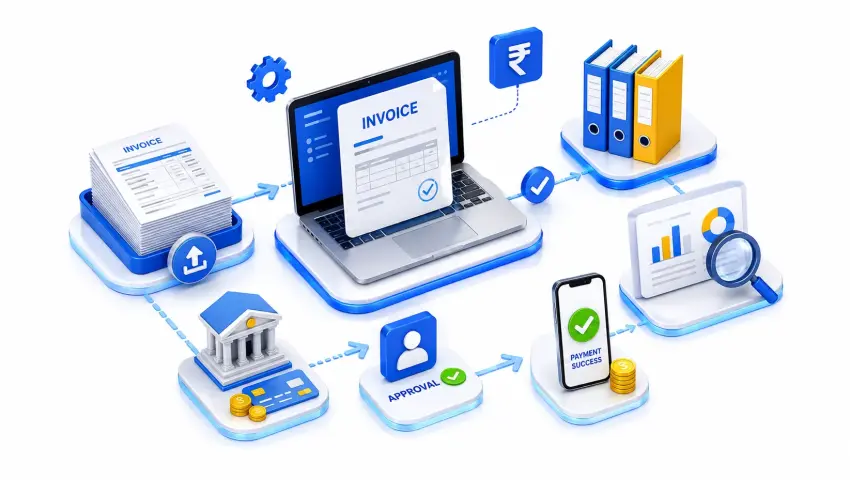
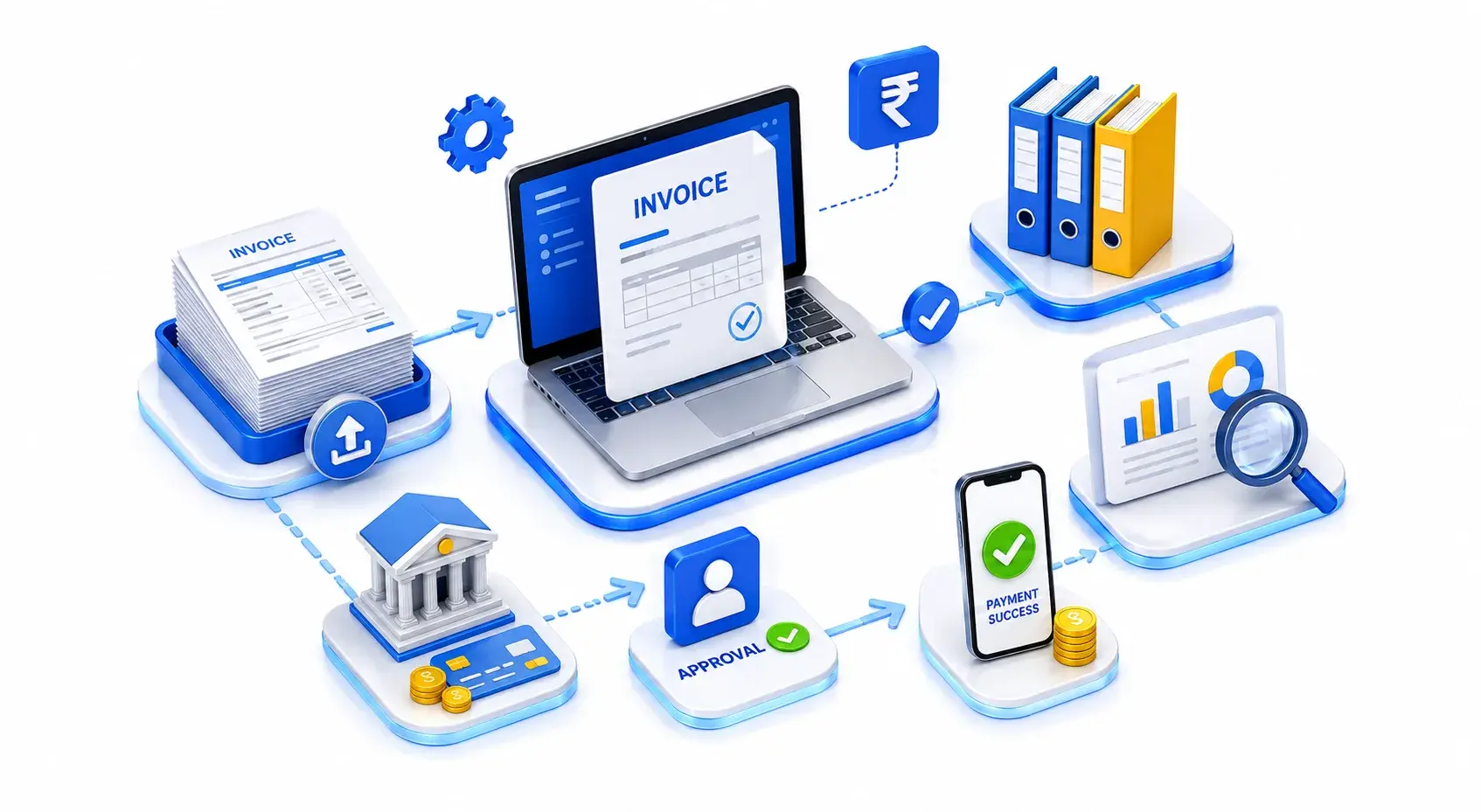
How Accounts Payable Automation Changes the Process
With an automated AP workflow, the process can look very different.
Manual Process
Invoice Received → Manual Verification → Data Entry → Email/WhatsApp Approval → Follow-up → Accounting Entry → Reconciliation
Automated Process
Invoice Received → Data Capture → Validation → Automated Matching → Approval Workflow → Accounting System → Payment/Reconciliation
The exact workflow depends on the company's systems and requirements.
For example, an Indian SME using TallyPrime may want supplier invoice information to move into its accounting workflow without repeatedly entering the same information manually.
A larger business may need integration between its ERP, procurement system, document management platform, and payment system.
Where Automation Creates the Most Value
Accounts payable automation does not have to automate everything on day one.
Start with the activities that consume the most time.
Invoice Data Capture
Extract important invoice information such as:
- Supplier name
- Invoice number
- Invoice date
- Taxable value
- GST amount
- Total invoice value
- Purchase order reference
Invoice Validation
Business rules can be used to check whether required information is available and whether the invoice matches expected criteria.
Approval Workflow
Invoices can automatically move to the relevant person or department based on predefined rules.
Accounting Integration
Invoice information can be transferred to the accounting or ERP system through an integration rather than being entered repeatedly.
Payment Visibility
Finance teams can get a clearer view of approved invoices and upcoming payment obligations.
How to Calculate the ROI of AP Automation
Once you know your current manual processing cost, compare it with the expected cost after automation.
A simple formula is:
ROI = (Annual Savings − Annual Automation Cost) ÷ Annual Automation Cost × 100
For example, suppose:
Current annual AP processing cost: ₹9,00,000
Expected annual processing cost after automation: ₹5,50,000
Annual saving: ₹3,50,000
If the total annual cost of automation is ₹2,00,000:
ROI = (₹3,50,000 − ₹2,00,000) ÷ ₹2,00,000 × 100
ROI = 75%
This is only an example. Your actual ROI will depend on invoice volume, employee costs, processing time, software fees, integration costs, error rates, and the level of automation implemented.
What Should Be Included in Your ROI Calculation?
Before deciding whether AP automation makes financial sense, collect your actual numbers.
Invoice Volume
How many supplier invoices do you process every month?
Processing Time
How many minutes does your team spend on one invoice?
Employee Cost
What is the approximate hourly cost of the people involved?
Error Handling
How much time is spent correcting incorrect entries?
Approval Time
How long does an invoice usually wait for approval?
Reconciliation
How many hours are spent matching invoices and payments?
Document Management
How much time is spent searching, scanning, printing, and storing invoices?
Automation Cost
Include:
- Software subscription
- Implementation
- API integration
- Support and maintenance
- Training
- Infrastructure, if applicable
This gives you a much more realistic picture of the investment.
Accounts Payable Automation for Indian SMEs
For Indian SMEs, AP automation can be particularly useful when invoice volumes start growing but finance teams are still expected to handle the work manually.
A business may already be using TallyPrime for accounting while receiving invoices through email, WhatsApp, supplier portals, and other channels.
This creates a gap between where the invoice arrives and where the accounting entry is maintained.
That gap is where automation and integration can help.
Depending on the business process, an AP workflow can connect accounting software with:
- TallyPrime
- ERP systems
- Purchase management software
- CRM or business applications
- Document management systems
- Banking platforms
- Payment systems
- GST and e-invoicing workflows
For e-invoicing, businesses can also use API-based integration where appropriate. GST-related e-invoicing systems support API-based methods for businesses and solution providers, allowing invoice data to move between accounting/ERP systems and the relevant IRP ecosystem. (e-Invoice)
Does AP Automation Replace the Accounts Team?
No.
This is one of the most common misunderstandings.
Automation handles repetitive activities. People still need to manage exceptions, review unusual transactions, make financial decisions, communicate with suppliers, and maintain control over the overall process.
Instead of spending hours typing invoice data and chasing approvals, the finance team can spend more time on:
- Cash flow planning
- Vendor management
- Reconciliation
- Financial analysis
- Compliance review
- Cost control
The value of automation is therefore not simply "fewer people."
It is better use of the people you already have.
When Should a Business Consider AP Automation?
There is no fixed invoice count at which every company should automate.
However, automation deserves serious consideration when:
- Invoice volume is increasing
- Accounts teams spend significant time on data entry
- Approval delays are common
- Duplicate invoices are difficult to identify
- Reconciliation takes too long
- Management lacks visibility into pending payments
- The company operates across multiple branches
- Finance teams use multiple disconnected systems
- Month-end closing regularly becomes stressful
If several of these situations sound familiar, calculating your current invoice processing cost is a good place to start.
How Pragyantra Can Help
Pragyantra works with businesses that want to reduce manual accounting and operational work through TallyPrime customization, API integration, business automation, and connected reporting systems.
Depending on the requirement, an automation solution can be designed around your existing workflow rather than forcing your team to completely change how they work.
Possible areas include:
- Invoice data entry automation
- TallyPrime integration
- Purchase workflow automation
- Approval management
- Vendor data synchronization
- Payment workflow integration
- GST and e-invoicing integration
- Business dashboards
- Custom API connectors
The right solution depends on your invoice volume, current accounting software, approval process, and existing systems.
Final Takeaway
The cost of a manual invoice is rarely just the few minutes spent typing it into accounting software.
There is a larger process behind every invoice:
Receive → Check → Enter → Approve → Reconcile → Store → Pay
When that process is repeated hundreds or thousands of times every month, small inefficiencies can become a significant operating cost.
That is why businesses should calculate the real cost of manual invoice processing before deciding whether Accounts Payable Automation is worth the investment.
You may discover that the biggest saving is not simply in data entry.
It may come from faster approvals, fewer corrections, better visibility, easier reconciliation, and giving your finance team more time for work that actually requires their judgment.
Before asking "How much will AP automation cost us?", ask "How much is our current manual process costing us?"
That number is the starting point for calculating your real ROI.
Frequently Asked Questions
What is Accounts Payable Automation?
Accounts Payable Automation uses software, workflows, integrations, and automated data capture to reduce repetitive work involved in receiving, validating, approving, recording, and managing supplier invoices.
How do you calculate the cost of manual invoice processing?
Calculate the total time spent processing invoices and multiply it by the relevant employee cost. Then add related costs such as corrections, reconciliation, document handling, approvals, and other manual activities.
Is Accounts Payable Automation useful for Indian SMEs?
Yes, particularly when invoice volumes are growing and finance teams spend substantial time on repetitive invoice processing, approvals, reconciliation, and data entry.
Can Accounts Payable Automation work with TallyPrime?
Yes. Depending on the workflow, AP automation can be integrated with TallyPrime through suitable APIs, connectors, or customized solutions.
Does AP automation eliminate the need for accounting staff?
No. It mainly reduces repetitive tasks so finance professionals can focus more on review, analysis, reconciliation, cash flow, compliance, and decision-making.
How quickly can a business see ROI from AP automation?
There is no universal timeline. ROI depends on invoice volume, current processing costs, automation scope, implementation cost, and the amount of manual work that can realistically be reduced.
Calculate Your Business AP Automation ROI Today
Before asking "How much does automation cost?", determine what manual processing is costing your enterprise each month. Partner with Pragyantra to structure custom, high-return AP automation for your business.

Pragyantra
Leave a comment
Your email address will not be published. Required fields are marked *