Enable Company Seal/Signature Print in Invoice
Automatically print company seal and signature in invoice in TallyPrime with Pragyantra’s add‑on. Create professional invoices and save time with automated billing.
Introducing Our New Business Consulting Solutions!
Revolutionize Your Business Strategy with Our Expertise.
Elevate Your Business with Our Comprehensive Consulting Services.


AI-Powered Business Intelligence Dashboard delivers real-time insights, automation, and seamless integration with Tally, Zoho, Oracle, and SAP—all in one clean platform.
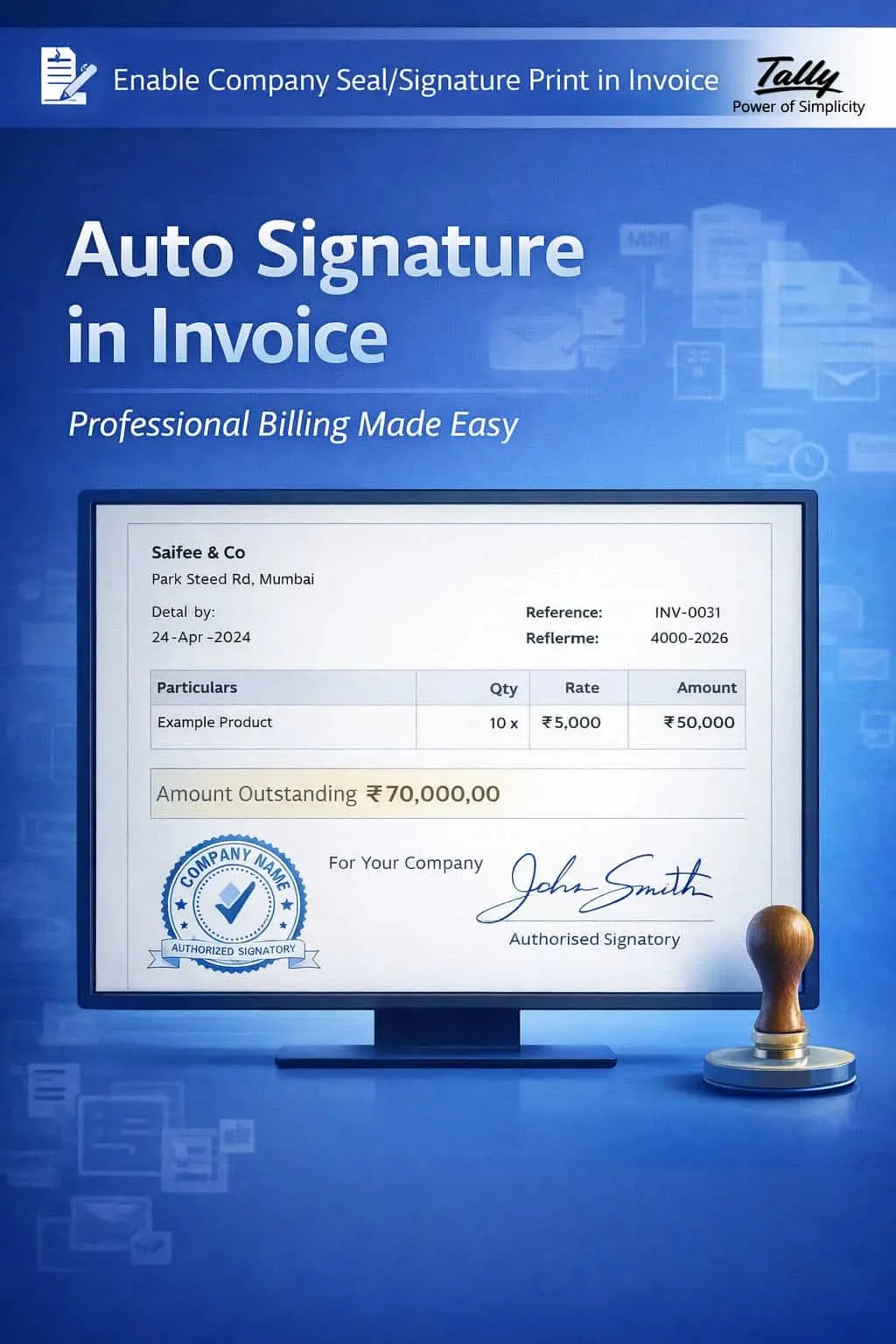

Automatically print company seal and signature in invoice in TallyPrime with Pragyantra’s add‑on. Create professional invoices and save time with automated billing.
Invoices are more than just a bill—they are a reflection of your brand's professionalism and authenticity. In many industries, an invoice is considered incomplete without the official Company Seal (Stamp) and an Authorized Signature. However, in standard TallyPrime, businesses often face these manual hurdles:
The Enable Company Seal/Signature Print in Invoice Add‑on by Pragyantra automates this process, embedding your official stamp and signature directly into the Tally invoice layout.
This add‑on is a custom Tally module that integrates high-quality images of your stamp and signature into the billing workflow. With this add‑on installed, Tally can:
In the age of digital business, you should be able to Email or WhatsApp an invoice the moment it is created. If you have to print it first, stamp it, sign it, and then scan it back to send it digitally, you are wasting valuable hours. The Pragyantra Seal & Signature Add‑on provides fully automated authentication, making your billing process 10X faster.
Integrated Company Seal
Displays your company’s official rubber stamp image clearly on every invoice printout.
Authorized Signature Placement
Includes the scanned signature of the proprietor, partner, or authorized signatory automatically.
Customizable Positioning
Flexibility to adjust the height, width, and position of the seal/sign to match your specific invoice design.
Works Across All Document Types
Full compatibility with Sales Invoices, Purchase Orders, Debit/Credit Notes, and Delivery Challans.
High-Resolution Output
Optimized TDL architecture ensures that the images look sharp and professional even in PDF exports.
This add‑on works with:
✔ TallyPrime
✔ Tally ERP 9
1. How do I provide my seal and signature for the add-on?
You simply need to provide a clear, scanned image (JPG or PNG format) of your company stamp and signature on a white background. Pragyantra will optimize it for your Tally.
2. Can I change the signature if the authorized person changes?
Yes. You can easily replace the signature image file in the designated folder, and Tally will start printing the new signature on all future invoices.
3. Will the seal and signature be visible in the PDF export?
Absolutely. The main benefit is for digital sharing. When you export the invoice to PDF, the seal and signature will appear exactly as they do on a physical print.
4. Does it work on half-page or customized invoice formats?
Yes. Pragyantra specializes in Tally customization and can integrate this feature into any invoice layout, regardless of the size or design.
Stop the manual stamping and signing. Automate your invoice authentication and impress your clients with professional, ready-to-use billing from Pragyantra.
👉 Contact Pragyantra today to modernize your billing and save hours of manual effort.
Your email address will not be published. Required fields are marked *
Please login to write review!
Looks like there are no reviews yet.