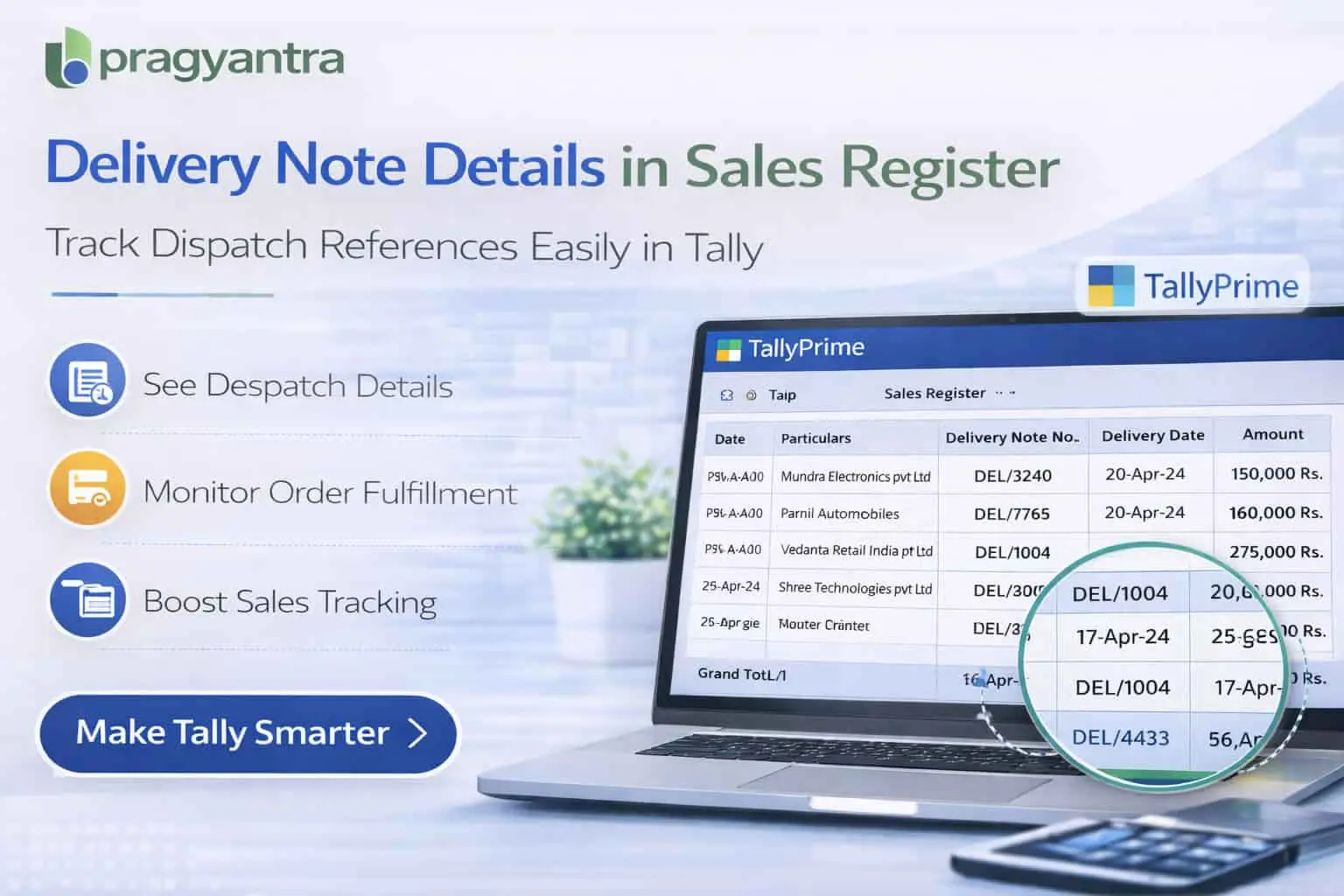

Show Delivery Note No. & Date in Sales Register
Display Delivery Note Number and Date directly in the Sales Register report in TallyPrime with Pragyantra’s add‑on. Improve dispatch tracking and sales reporting.
Introducing Our New Business Consulting Solutions!
Elevate Your Business with Our Comprehensive Consulting Services.
Revolutionize Your Business Strategy with Our Expertise.


AI-Powered Business Intelligence Dashboard delivers real-time insights, automation, and seamless integration with Tally, Zoho, Oracle, and SAP—all in one clean platform.
In many businesses, especially trading, distribution, and manufacturing companies, goods are often dispatched using Delivery Notes before generating sales invoices. These delivery notes contain important information such as Delivery Note Number and Delivery Date, which helps businesses track goods movement and order fulfillment.
While TallyPrime supports Delivery Notes, the standard Sales Register report may not always display Delivery Note Number and Date directly within the register view. As a result, accountants may need to open individual vouchers to verify delivery information.
The Show Delivery Note No. & Date in Sales Register Add‑on developed by Pragyantra enhances the Sales Register by displaying Delivery Note Number and Delivery Date columns directly in the report.
With this add‑on, businesses can easily track dispatch references, delivery details, and related sales transactions from a single report, improving operational visibility and accounting efficiency.
The Show Delivery Note No. & Date in Sales Register Add‑on is a custom Tally module that enhances the Sales Register report by adding columns for Delivery Note Number and Delivery Date.
Normally, the Sales Register report displays Voucher Date, Invoice Number, Party Name, and Amount. With this add‑on installed, the report will also display:
This makes the Sales Register more informative and useful for tracking dispatch‑related transactions without extra navigation.
Businesses that dispatch goods before invoicing often need to verify delivery references while reviewing sales reports. Without delivery note details in the Sales Register, accountants may face several challenges:
The Pragyantra Delivery Note Reference Add‑on solves this problem by displaying Delivery Note Number and Date directly in the Sales Register report view.
Delivery Note Number in Sales Register
Displays the specific Delivery Note Number linked to each sales transaction directly in the report columns.
Delivery Note Date Column
Shows the delivery date associated with the dispatch for better chronological tracking.
Improved Dispatch Tracking
Businesses can easily track goods dispatch references and fulfillment status from the Sales Register.
Better Sales Report Analysis
Accountants can review all relevant delivery information alongside sales transactions for faster auditing.
Lightweight & High Performance
Built using optimized TDL architecture, ensuring smooth performance even with large volumes of sales data.
This add‑on works with:
✔ TallyPrime
✔ Tally ERP 9
1. Will the Delivery Note number appear for all sales invoices?
Yes, if a sales invoice is linked to a Delivery Note (Challan), the add-on will automatically fetch and display its number and date in the Sales Register.
2. Can I see multiple Delivery Note numbers in the same column?
If a single sales invoice is made against multiple delivery notes, the add-on is designed to display the linked reference details clearly within the register view.
3. Does this add-on affect the speed of the Sales Register?
Not at all. The add-on is built on optimized TDL code, ensuring that even with thousands of entries, your Sales Register opens and loads quickly.
4. Is it compatible with the latest TallyPrime Edit Log version?
Yes, it is fully compatible with all versions of TallyPrime (including Edit Log) and Tally ERP 9.
Stop manual cross-checking of Delivery Challans. Get a unified view of dispatches and invoices directly in your Tally Sales Register with Pragyantra.
👉 Contact Pragyantra today for smarter Tally solutions that optimize your business workflow.
Your email address will not be published. Required fields are marked *
Please login to write review!
Looks like there are no reviews yet.