
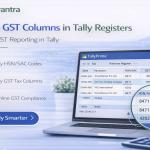
Enable HSN Code & GST% Columnar Register for TallyPrime
View HSN Code and GST Percentage in Columnar Register Reports
Introduction
In GST‑compliant accounting systems, HSN Codes and GST rates play a crucial role in maintaining accurate tax records. Businesses that use TallyPrime for accounting often need to review tax‑related information while analyzing sales and purchase transactions.
Although Tally provides GST features, users sometimes require a clear columnar view of HSN codes and GST percentages within register reports for better analysis and compliance checks.
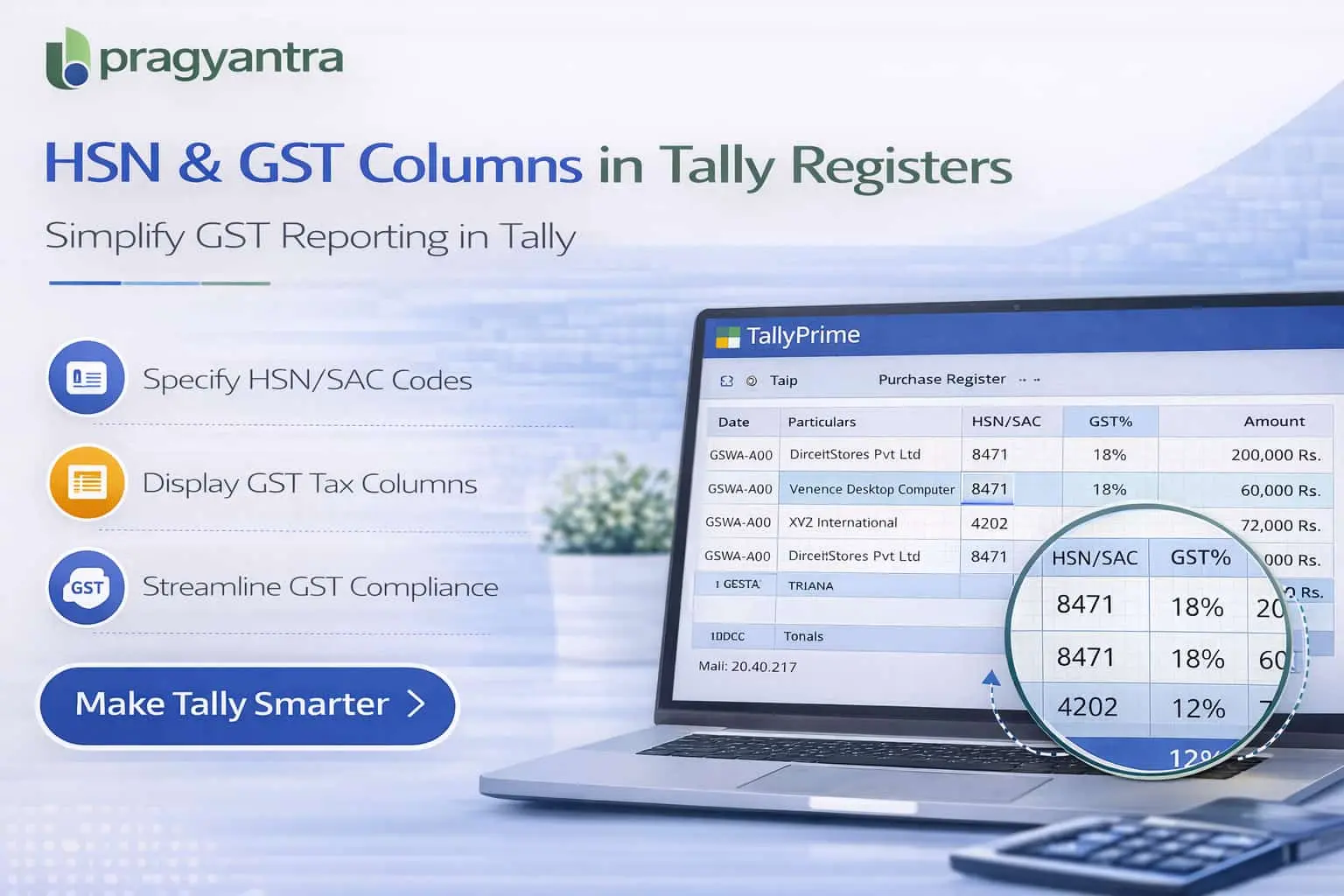
The Enable HSN Code & GST% Columnar Register Add‑on developed by Pragyantra enhances Tally reporting by displaying HSN Codes and GST percentage columns directly within register reports.
With this add‑on, accountants and tax professionals can quickly analyze tax details, GST rates, and HSN classifications for each transaction without opening individual vouchers.
What is “Enable HSN Code & GST% Columnar Register”?
The Enable HSN Code & GST% Columnar Register Add‑on is a custom Tally module that enhances register reports by adding dedicated columns for HSN Codes and GST percentages.
Normally, register reports such as Sales Register or Purchase Register display Voucher Date, Number, Party Name, and Amount. With this add‑on installed, reports will also display:
- HSN Code Column
- GST Percentage Column
- Structured tax information for each item
This makes it easier to analyze tax details directly within reports without extra navigation.
Why Businesses Need This Add‑on
Businesses that deal with GST‑based invoicing must ensure that HSN codes and GST rates are correctly applied in transactions. Without a columnar GST view, accountants may face several challenges:
- Opening each voucher individually to verify tax details
- Manually reviewing GST information for every item
- Time-consuming data extraction for GST returns
- Difficulty in spotting tax classification errors
The Pragyantra HSN & GST Columnar Register Add‑on solves these issues by displaying vital tax data directly in the register report view.
Key Features of the Add‑on
HSN Code Column in Registers
Adds a dedicated column showing the HSN codes for every item listed in the register reports.
GST Percentage Column
Users can view the exact GST rate (e.g., 5%, 12%, 18%, 28%) applied to each transaction line.
Improved GST Analysis
Accountants can easily verify tax classifications and spot any discrepancies in tax rates instantly.
Works with Major Register Reports
The feature integrates with Sales Register, Purchase Register, Item Registers, and other GST-related reports.
Lightweight & High Performance
Optimized TDL architecture ensures that the extra columns do not slow down report generation in Tally.
Business Benefits
- Faster GST Verification: Review tax rates and HSN codes across hundreds of entries in seconds.
- Improved Tax Compliance: Ensure that all transactions use the correct HSN and GST classifications.
- Better Report Clarity: Columnar information makes internal tax audits much simpler.
- Reduced Manual Work: Eliminates the need to open vouchers to verify item-level tax details.
Use Cases
- GST Registered Businesses: Needing to verify tax details for accurate GSTR filing.
- Trading Companies: Dealing with multiple items that have varying HSN codes and tax slabs.
- Manufacturing Companies: Where raw material and finished goods classification is critical.
- Accounting Firms: Performing GST audits and reconciliations for multiple clients.
Compatibility
This add‑on works with:
✔ TallyPrime
✔ Tally ERP 9
Frequently Asked Questions (FAQ)
1. Will the HSN Code and GST% appear in the Sales Register?
Yes, this add-on adds dedicated columns for both HSN Code and GST Percentage in your Sales Register, Purchase Register, and Item-wise registers.
2. Can I use this report for GST Reconciliation?
Absolutely. Having a columnar view of HSN and GST rates makes it much easier to match your Tally data with GSTR-1 and GSTR-3B filings.
3. Does it show GST rates for each item in a multi-item invoice?
Yes, the add-on provides an item-level columnar view, so you can see the specific GST percentage and HSN code for every item within an invoice.
4. Is it compatible with the latest TallyPrime releases?
Yes, it is fully compatible with all versions of TallyPrime and Tally ERP 9.
Make GST Compliance Effortless
Stop opening every invoice to verify tax rates. Get a clear columnar view of HSN and GST details directly in your Tally reports with Pragyantra.
👉 Contact Pragyantra today for Tally Customizations that simplify your tax management.
Add your review
Your email address will not be published. Required fields are marked *
Please login to write review!
Looks like there are no reviews yet.
It is a Tally add‑on that adds HSN code and GST percentage columns to register reports.
It helps accountants quickly verify GST rates and HSN classifications without opening individual vouchers.
Yes. The add‑on improves tax verification and reporting by displaying GST information clearly in reports.