Show Purchase Order No. & Date in Purchase Register
Display Purchase Order Number and Date directly in the Purchase Register report in TallyPrime with Pragyantra’s add‑on. Improve procurement tracking and purchase verification.
Revolutionize Your Business Strategy with Our Expertise.
Elevate Your Business with Our Comprehensive Consulting Services.
Introducing Our New Business Consulting Solutions!


AI-Powered Business Intelligence Dashboard delivers real-time insights, automation, and seamless integration with Tally, Zoho, Oracle, and SAP—all in one clean platform.
In many businesses, purchase transactions start with a Purchase Order (PO) issued to suppliers. A purchase order contains important details such as PO Number and PO Date, which help businesses track procurement processes and supplier commitments.
While TallyPrime supports purchase order management, the standard Purchase Register report may not always display Purchase Order Number and Date directly in the report view. This often requires accountants to open individual purchase vouchers to verify the purchase order reference.
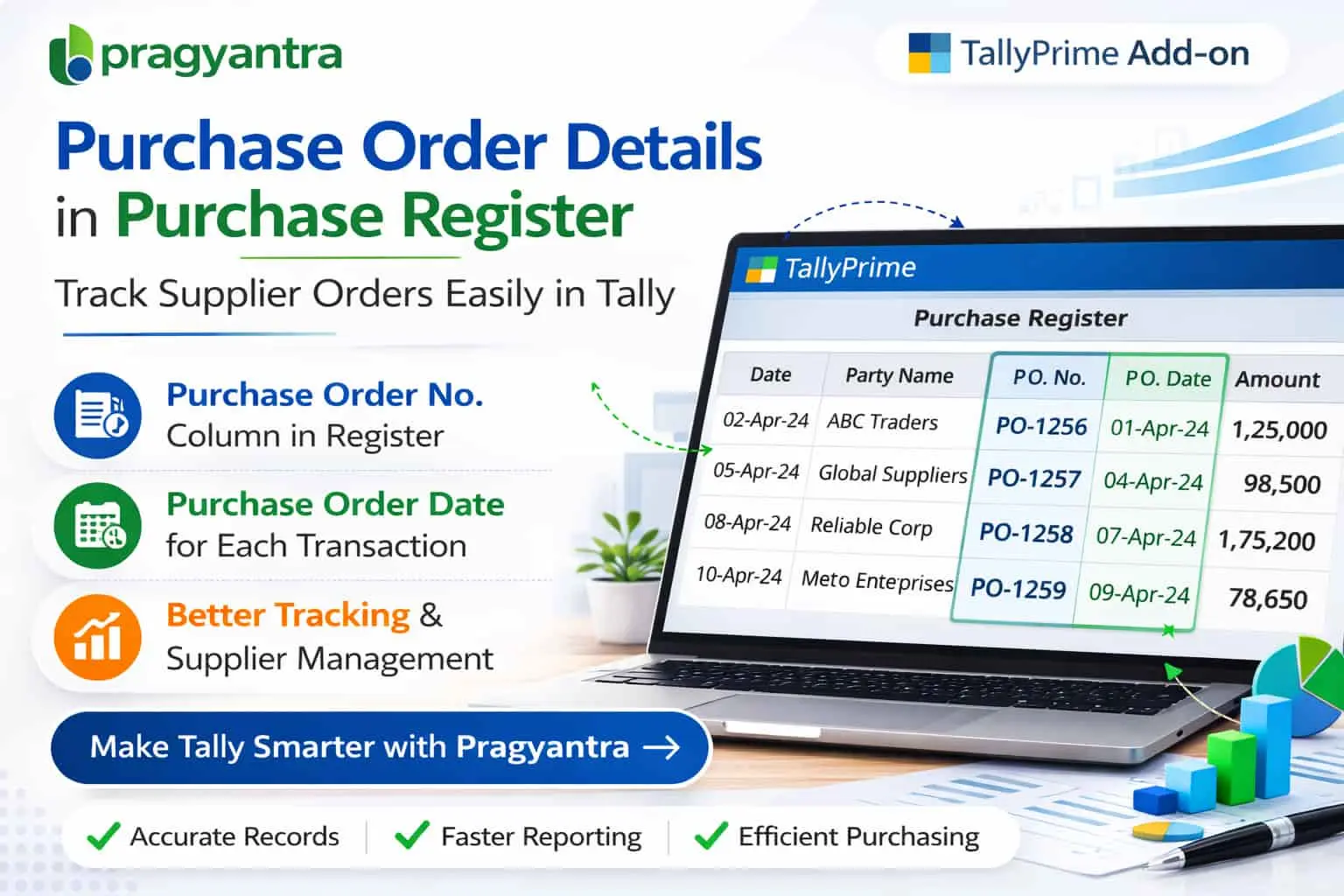
The Show Purchase Order No. & Date in Purchase Register Add‑on developed by Pragyantra enhances Tally reporting by displaying Purchase Order Number and Purchase Order Date columns directly in the Purchase Register.
With this add‑on, businesses can easily track purchase order references, supplier orders, and invoice links from a single report, improving procurement visibility and accounting efficiency.
The Show Purchase Order No. & Date in Purchase Register Add‑on is a custom Tally module that enhances the Purchase Register report by adding columns for Purchase Order Number and Purchase Order Date.
Normally, the Purchase Register report displays Voucher Date, Number, Supplier Name, and Amount. With this add‑on installed, the report will also display:
This makes purchase reports more informative and useful for procurement tracking without needing to switch between different screens.
Businesses that use purchase orders for procurement need to track PO references along with purchase invoices. Without purchase order details in the Purchase Register, accountants may face several challenges:
The Pragyantra Purchase Order Reference Add‑on solves this problem by displaying Purchase Order Number and Date directly in the Purchase Register report view.
Purchase Order Number in Purchase Register
Displays the specific PO number associated with each purchase transaction directly in the report.
Purchase Order Date Column
Shows the date of the purchase order issued to the supplier for better timeline tracking.
Improved Procurement Tracking
Businesses can easily track purchase orders and supplier invoices together in one consolidated view.
Better Purchase Analysis
Accountants can review procurement references directly in the Purchase Register for faster auditing.
Lightweight & High Performance
Built using optimized TDL architecture, ensuring zero impact on the speed of TallyPrime.
This add‑on works with:
✔ TallyPrime
✔ Tally ERP 9
1. Will the Purchase Order number appear for all purchase vouchers?
Yes, if a purchase invoice is linked to one or more Purchase Orders, the add-on will automatically fetch and display those PO numbers and dates in your Purchase Register.
2. Can I filter the Purchase Register based on PO numbers?
Yes, once the column is enabled, you can use Tally's standard filtering options to quickly find or group transactions by their specific Purchase Order references.
3. Does it show the PO date even if the invoice was made much later?
Absolutely. The add-on tracks the original Purchase Order date regardless of when the final purchase invoice was recorded, helping you track procurement lead times.
4. Is it compatible with TallyPrime's latest version?
Yes, it is fully compatible with all releases of TallyPrime (including Edit Log) and Tally ERP 9.
Stop the endless back-and-forth between order books and purchase registers. Get a unified view of your supplier commitments and invoices with Pragyantra.
👉 Contact Pragyantra today for Tally customizations that bring transparency and speed to your business.
Your email address will not be published. Required fields are marked *
Please login to write review!
Looks like there are no reviews yet.