Enable Voucher Type Wise Auto Printer Selection for TallyPrime
Product Description
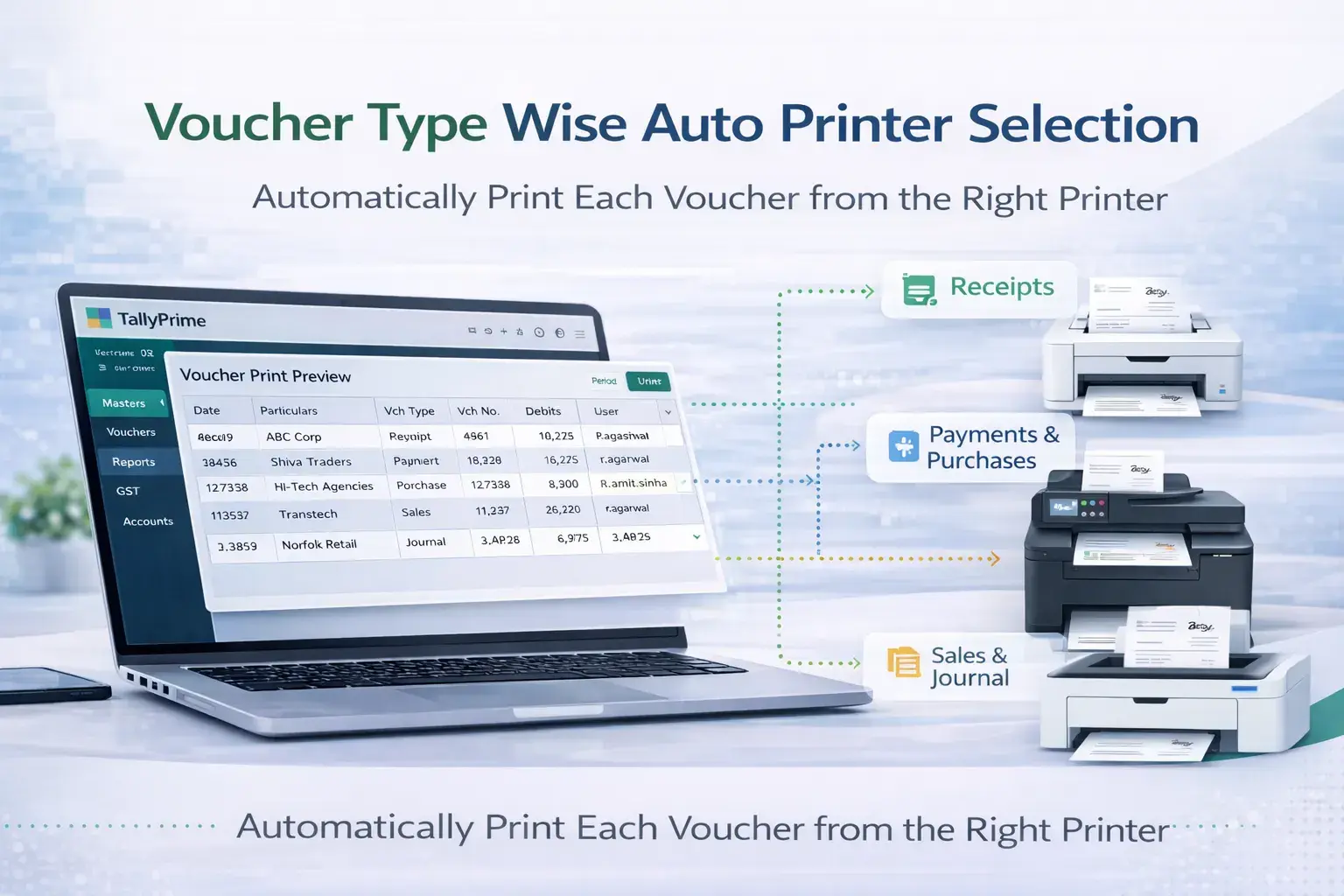
In many organizations, different accounting documents need to be printed from different printers. For example, sales invoices may need to be printed from the billing counter printer, while purchase documents or reports may need to be printed from the accounts department printer.
However, in the default Tally setup, users must manually select the printer every time they print a voucher or report. This can slow down operations and increase the chances of printing documents on the wrong printer.
The Voucher Type Wise Auto Printer Selection Add‑on developed by Pragyantra solves this problem by allowing businesses to assign specific printers for different voucher types.
For example:
- Sales Invoice → Billing Printer
- Purchase Voucher → Accounts Printer
- Payment Voucher → Finance Department Printer
- Delivery Challan → Warehouse Printer
Once configured, Tally automatically detects the voucher type and sends the print command to the assigned printer. This automation improves operational efficiency and eliminates manual printer selection.
Key Features
- ✔ Automatic printer selection based on voucher type
- ✔ Assign different printers for different accounting documents
- ✔ Faster invoice and voucher printing
- ✔ Reduce manual printer selection errors
- ✔ Ideal for retail counters and multi‑department offices
- ✔ Compatible with TallyPrime and Tally ERP 9
Business Benefits
Faster Printing Workflow
Documents are automatically printed from the correct printer without manual selection.
Improved Department Coordination
Different departments can use their designated printers efficiently.
Reduced Printing Errors
Prevents invoices or vouchers from being printed on the wrong printer.
Better Office Automation
Automates document printing in high‑volume accounting environments.
Ideal For
- Retail stores with billing counters
- Businesses with multiple departments
- Companies using multi‑printer office environments
- Organizations with high‑volume invoice printing
Compatibility
Works with:
✔ TallyPrime
✔ Tally ERP 9
FAQ Section
What is Voucher Type Wise Auto Printer Selection in Tally?
It is a Tally add‑on that automatically assigns specific printers to different voucher types such as sales invoices, purchase vouchers, and payment receipts.
Can different voucher types print from different printers?
Yes. This add‑on allows businesses to assign separate printers for each voucher type.
Is this useful for retail billing counters?
Yes. Retail stores can automatically print sales invoices from the billing printer while other documents are printed from different printers.
Is this add‑on compatible with TallyPrime?
Yes, the add‑on works with TallyPrime and Tally ERP 9.
Automate Your Printer Management in Tally
Simplify your billing workflow and eliminate manual printer selection with Pragyantra's automation solutions.
👉 Contact Pragyantra today to implement this add-on in your Tally system.